April 2026 Release Notes
Last updated: May 8, 2026
HackerRank’s April release advances how you hire for the agentic world, focusing on how developers think, collaborate with AI, and iterate toward better solutions. With expanded support for AI-assisted workflows across coding, data science, and code repository questions, you can better assess how candidates utilize AI tools in environments that closely reflect real-world development.
As campus hiring scales up, this release strengthens assessment integrity so you can hire with confidence. We are introducing new detection capabilities, including object detection for external devices and analyzing code to identify suspicious communication and flag potential external assistance. Combined with standardized integrity reports and improved session replay, these updates help teams identify top talent while maintaining a fair and transparent evaluation process.
To accelerate screening, Chakra, our AI interviewer, continues to evolve with improved reporting and new ATS integrations. Faster, more structured interview analysis and quantitative scoring help teams compare candidates and identify top talent with richer insight into both technical ability and AI fluency.
Screen
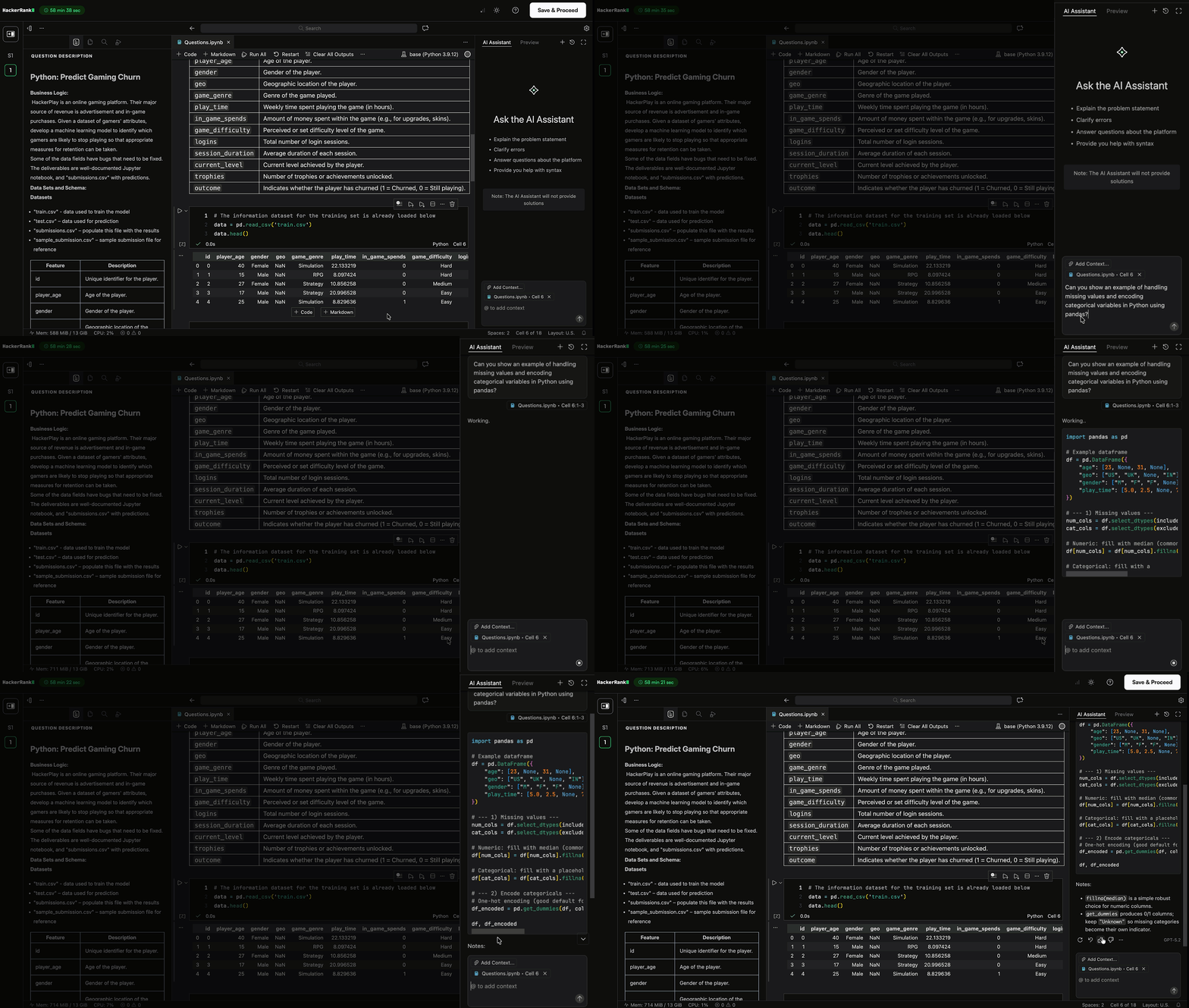
AI Assistant for Data Science Questions (AI Add-On)
AI Assistant is now available for data science questions in VS Code. Candidates can use it to analyze notebooks, understand code, and troubleshoot issues more effectively.
The AI assistant supports:
Chat mode to explore notebook context, ask questions, and understand code and outputs
Agent mode to make direct updates, such as adding cells, fixing errors, rewriting functions, or building workflows
On-demand execution of selected notebook cells
For more information, see 📄 AI-Assisted Testsand AI Assistant in Tests.
Unguarded AI Assistant (AI Add-On)
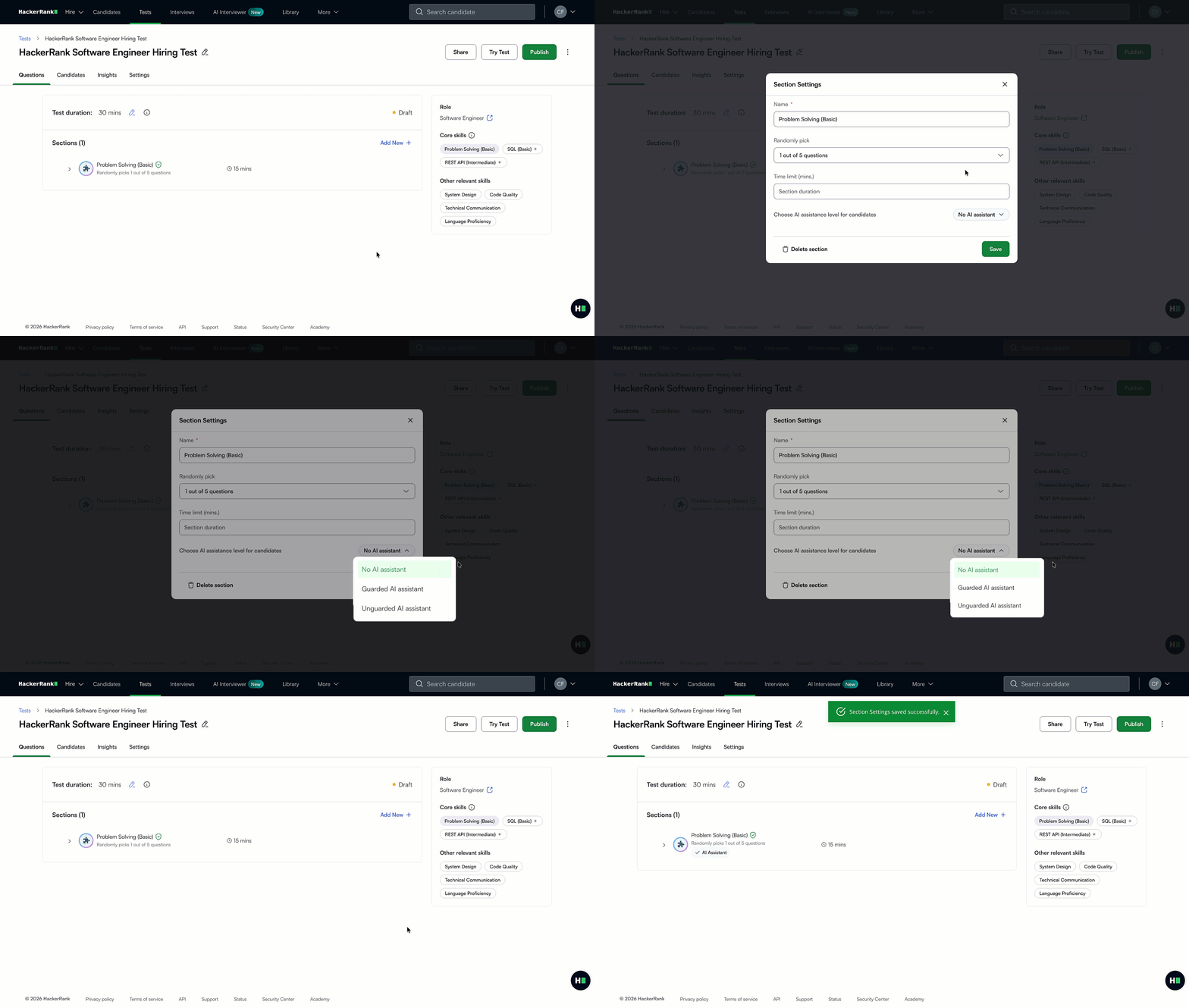
You can now enable an Unguarded AI Assistant across coding, front-end, back-end, full-stack, data science, and code repository questions in tests.
The existing guarded AI assistant provides support for syntax, platform navigation, and conceptual guidance without generating complete solutions. The unguarded AI Assistant removes these restrictions and allows candidates to interact freely with the AI, similar to real-world AI coding tools. This helps you evaluate how candidates use AI in real-world development scenarios.
For more information, see 📄 AI-Assisted Tests.
Code Repository Question Creation (AI Add-On)
You can now upload your code repositories and create bug-fix and feature-building questions using an AI-assisted workflow or manually.
The AI assistant helps you analyze your uploaded custom code repository to suggest relevant questions based on required skills and difficulty level. It also helps modify code, configure run commands, and generate test cases
You can review, edit, and publish these questions directly to your content library, and update repositories over time to expand and reuse them.
For more information, see 📄 Code Repository Questions.
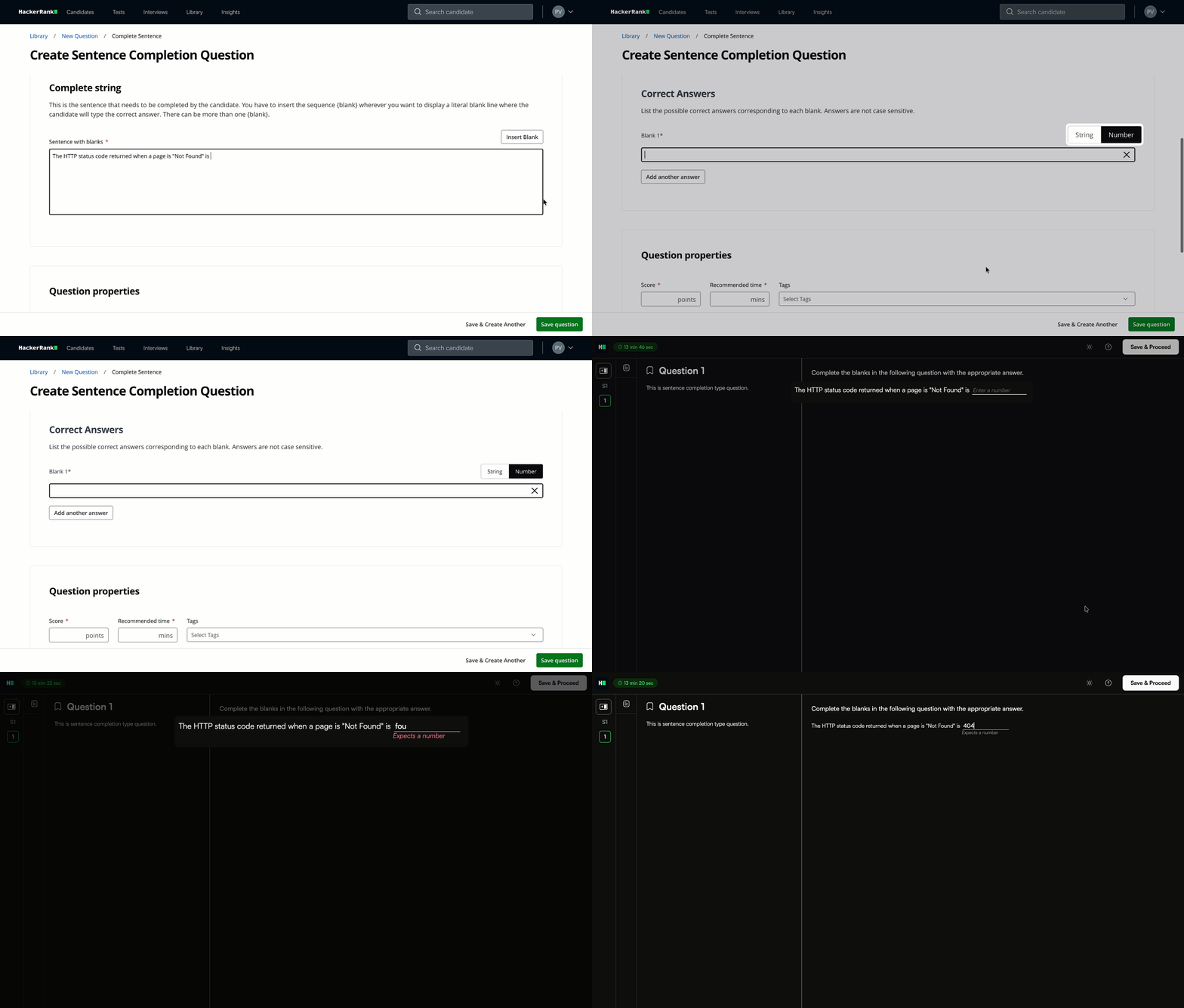
Numeric Answer Support for Sentence Completion Questions
Sentence completion questions now support numeric answer types in addition to string inputs. You can define the expected data type for each blank, and candidates are guided when a numeric value is required. This improves evaluation for questions that involve calculations or decimal inputs.
For more information, see 📄 Sentence Completion Questionsand Answer Sentence Completion Questions.
Test Disclaimer Formatting Support
Test disclaimers now support formatting such as bold, italic, underline, and links, and display with the same formatting during candidate onboarding.
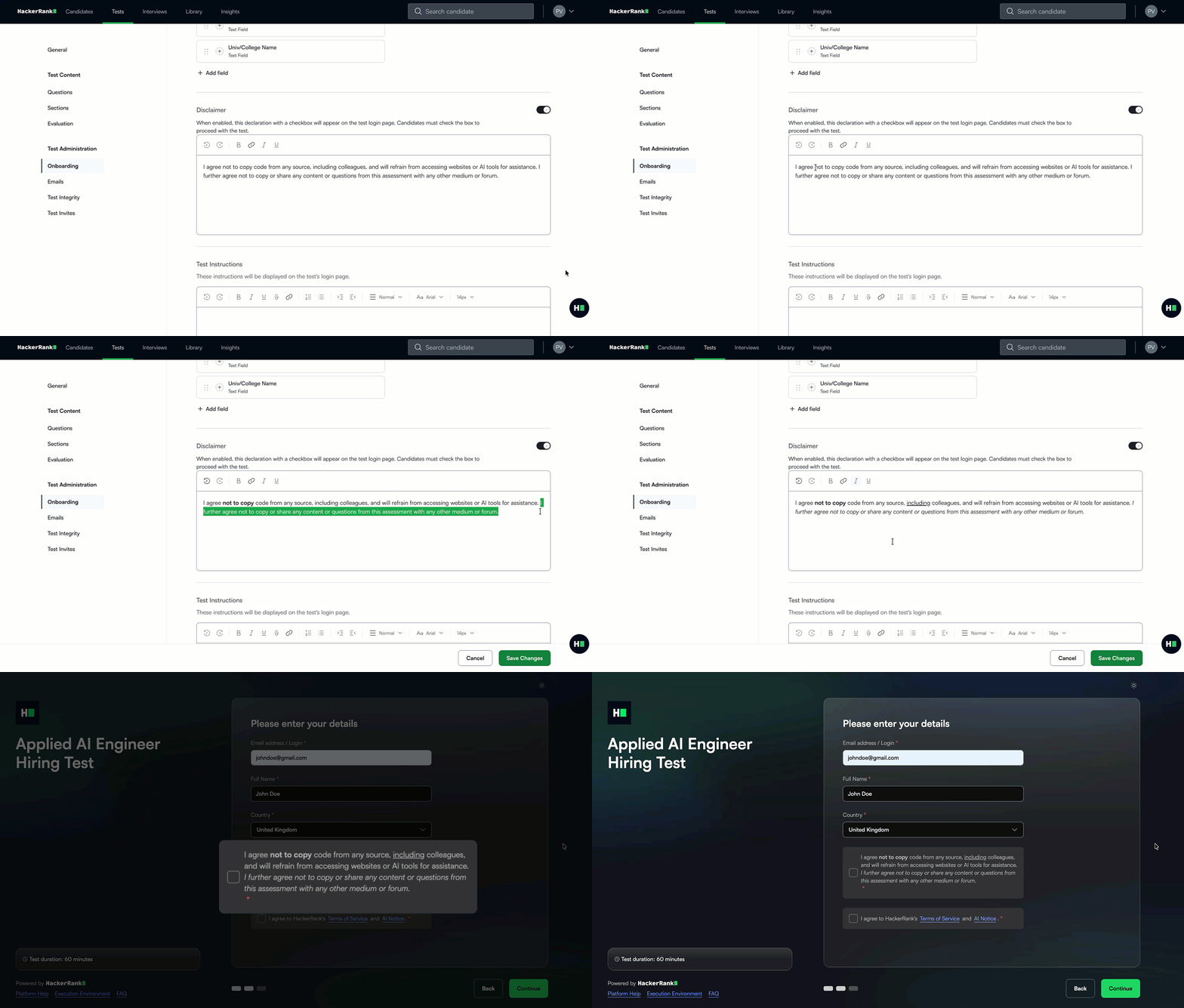
For more information, see 📄 Configure Onboarding Settings for Tests.
Data Science Assessments in VS Code
Data science assessments now run in the VS Code IDE, replacing JupyterLab. This update brings data science assessments into the same standardized environment used for other HackerRank assessment types while preserving the notebook experience candidates are familiar with. It creates a more consistent assessment experience across question types.
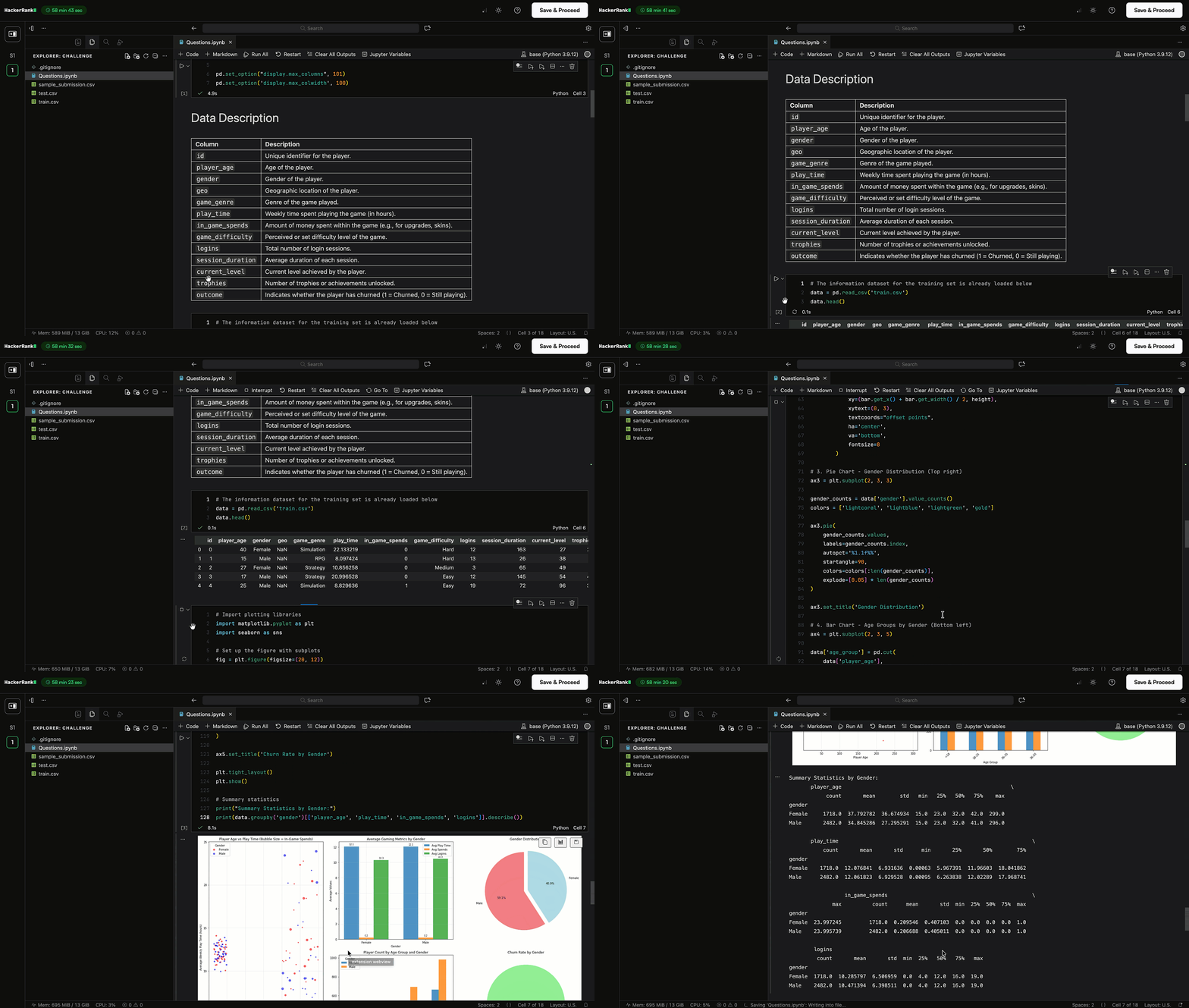
For more information, see 📄 Data Science Questionsand Answer Data Science Questions.
Custom Port Labels
You can now define custom port labels for full-stack code repository questions during question creation using hackerrank.yml. This allows ports such as 8000 and 3000 to be displayed as front-end and back-end, making the preview easier to understand.
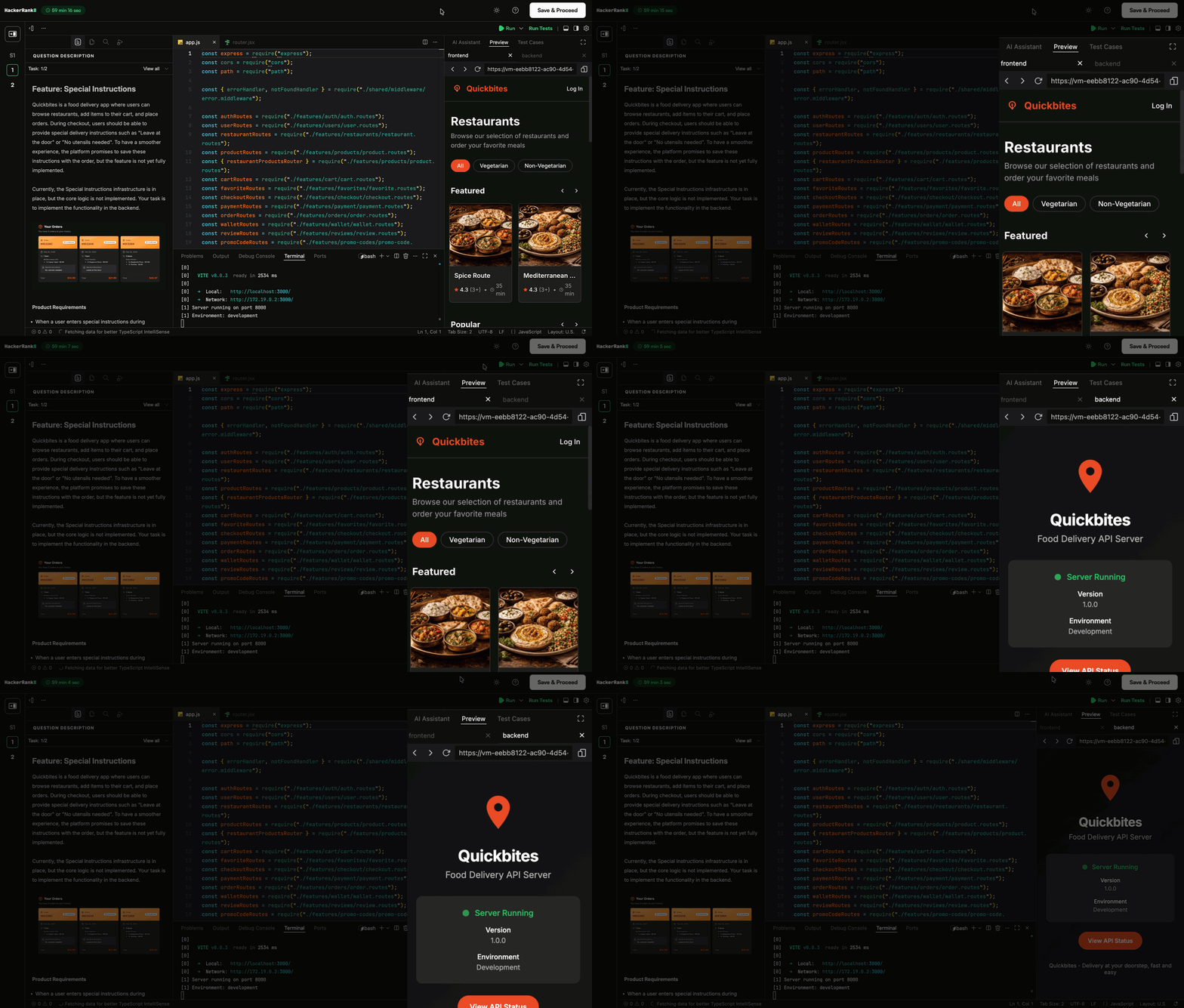
Faster Leakage Detection for Custom Questions
Leakage detection for custom questions now runs weekly. This helps you identify potential risks earlier and take action before they impact active assessments.
For more information, see 📄 Manage Leaked Questions.
Faster Candidate Listing Page in Tests
The candidate listing page within a test now loads faster, so you can quickly navigate through large candidate lists for high-volume roles.
GPU Support for Compute-Intensive Questions
GPU-backed environments are available for compute-intensive use cases, such as machine learning and data science assessments. This enables smoother execution for resource-heavy workloads.
You can request access to GPU support by contacting support@hackerrank.com.
View Integrity Signals in Eightfold and SmartRecruiters
Assessment results in Eightfold and SmartRecruiters now include integrity signals, providing a quick view of candidate integrity directly in your ATS. These include an Integrity Status (None, Medium, or High) and an Integrity Summary highlighting suspicious activity, such as copy/paste behavior. The full integrity report is available in HackerRank for deeper analysis.
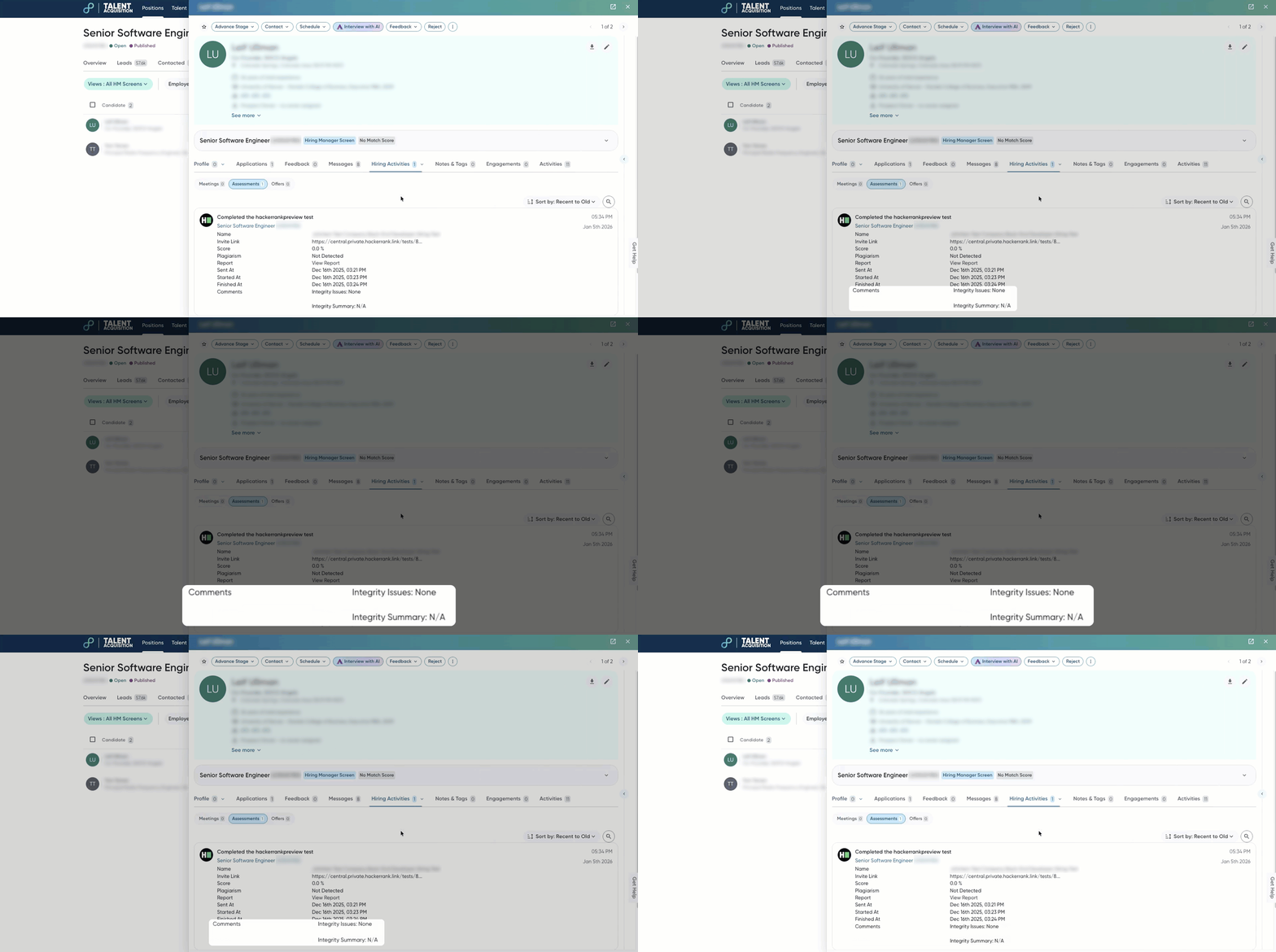
Test Integrity
New Integrity Signals (AI Add-On)
New AI-powered integrity signals provide greater visibility into candidate behavior during assessments. These signals appear in the Integrity Summary and as timestamped events in Session Replay.
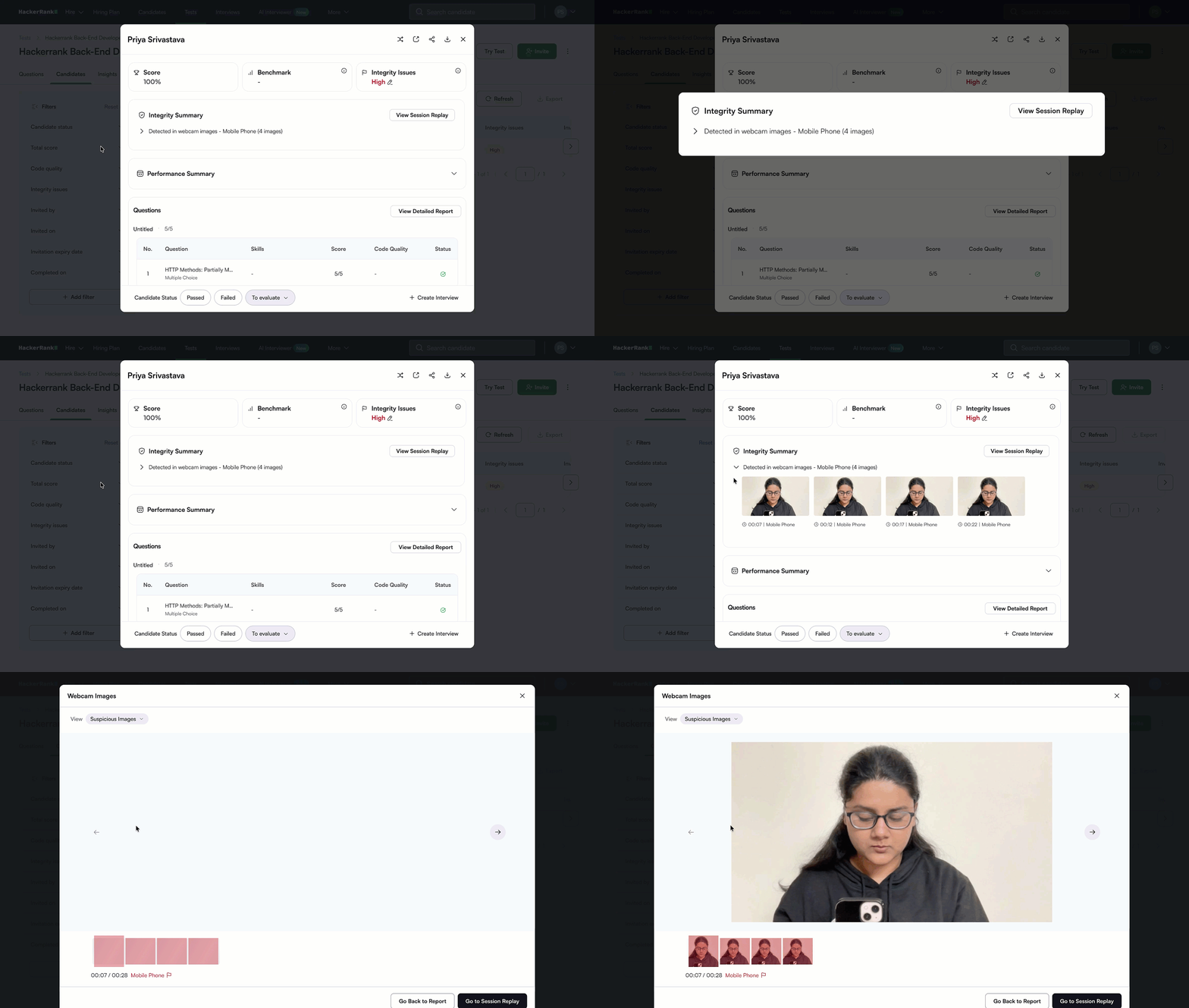
Object Detection in Webcam Feed
Object Detection in Proctor Mode identifies and flags mobile phones and tablets in the candidate’s webcam feed during an assessment. Flagged images containing the suspicious objects are captured for your review
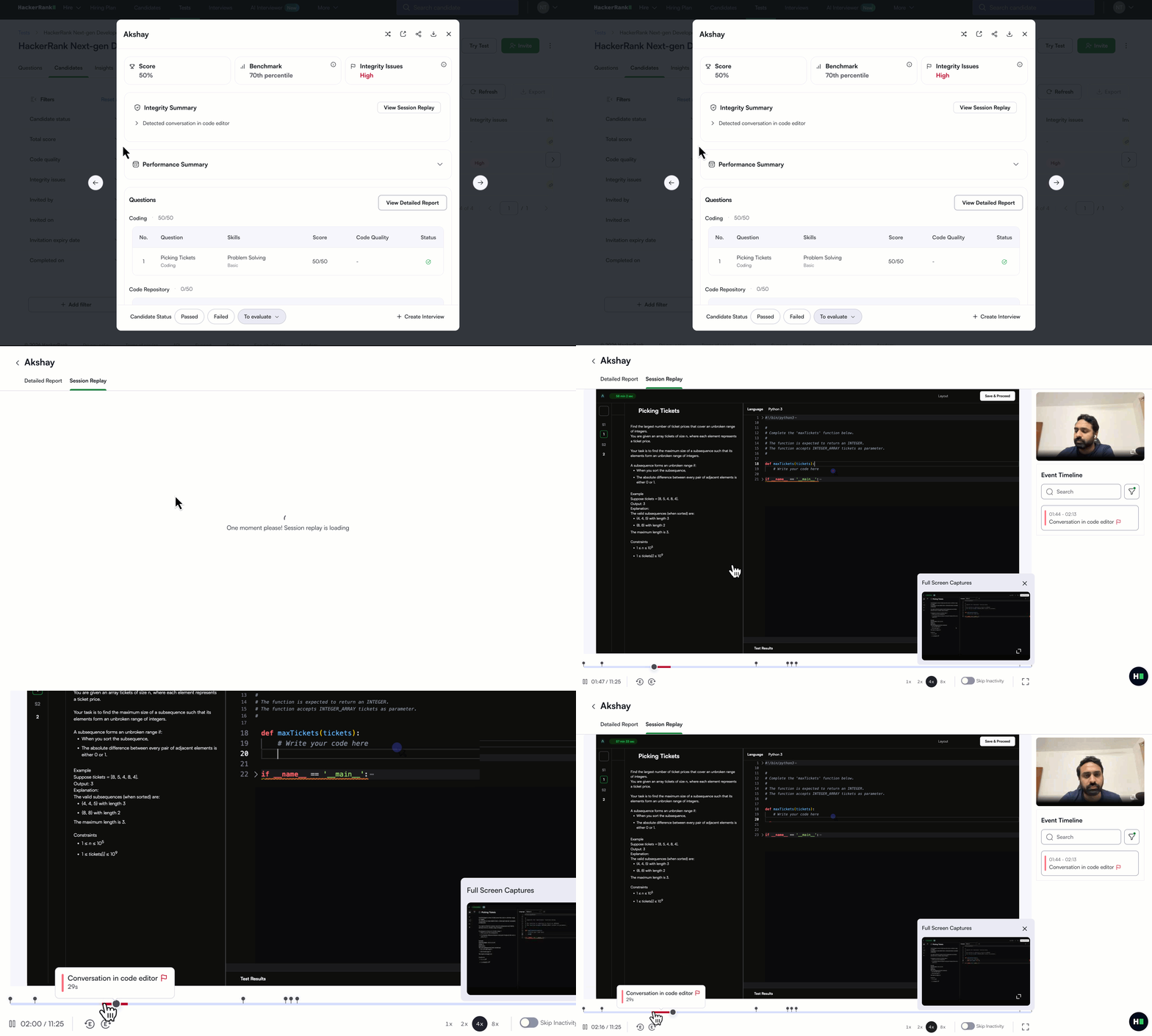
Conversation Detection in the Code Editor
Code is now analyzed during assessments to detect when candidates type and delete messages that may indicate communication with others. This helps identify and flag evidence of potential external assistance.
For more information, see 📄 Proctor Mode, 📄 Review Integrity Issues in Proctor Mode, and 📄 HackerRank Desktop App Mode.
Improved Session Replay
Session Replay now provides broader and more reliable coverage. It captures the full browser screen instead of a single tab, improving support for project-based questions and multi-tab workflows. It also improves compatibility with iframe-based environments, such as VS Code-style interfaces, and supports more question types.
With this update, content protection is temporarily unavailable for the HackerRank Desktop App, as screen recording requires screenshot permissions that were previously restricted.
For more information, see 📄 Proctor Modeand 📄 HackerRank Desktop App Mode.
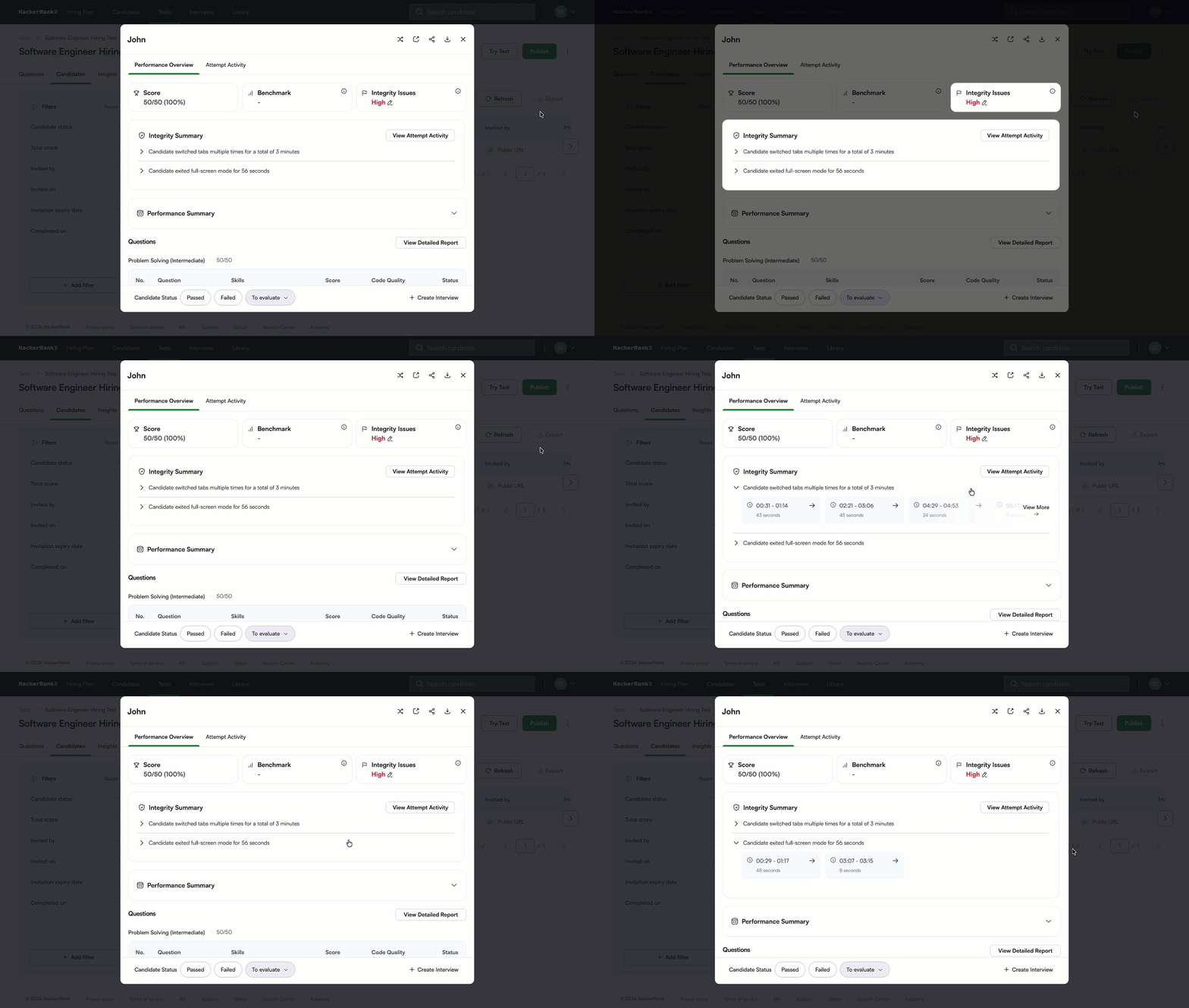
Consistent Integrity Reports Across Modes
Secure Mode integrity reports now match Proctor Mode and Desktop App Mode, with a standardized Integrity Status and Integrity Summary across all assessment modes. Integrity signals include clearer explanations and supporting evidence, making it easier to understand why a candidate was flagged.
For more information, see 📄 Secure Mode.
Webcam Experience Improvements
The webcam setup experience has been improved to make pre-test validation more reliable and transparent. During the pre-test check, the platform now verifies lighting conditions and confirms the presence of a face before allowing candidates to proceed. The webcam preview remains visible until the candidate confirms readiness, allowing them to adjust their setup before starting the test. This prevents issues such as closed camera shutters, camera misconfiguration, or missing face detection, reducing the risk of incorrect flags during proctoring.
Image Analysis Improvements
Image Analysis has been enhanced to improve detection accuracy across different testing environments, including campus and lab-based assessments. The platform now more reliably detects when a different person appears during a session and better distinguishes between actual violations and the background presence of multiple candidates. It also more consistently identifies when a candidate is not visible, with improved performance across varied lighting conditions.
HackerRank Desktop App improvements
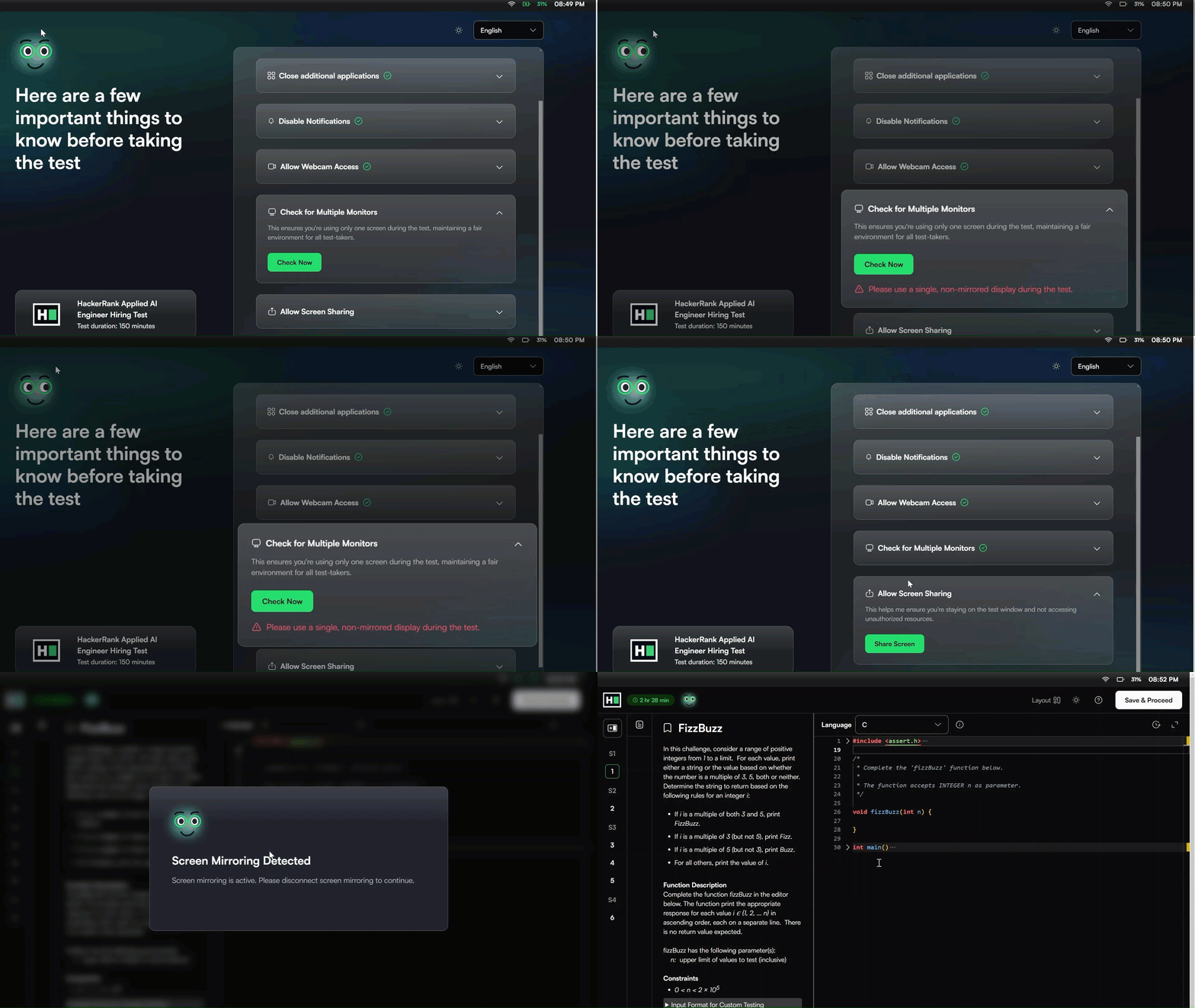
Screen Mirroring Detection in Desktop App
The HackerRank Desktop App can now detect screen mirroring, extending its existing multiple-monitor detection feature to identify when a candidate’s screen is duplicated on another display.
Before the test starts, the platform checks that candidates use a single, non-mirrored display. Candidates must pass this check to begin the test. During the test, if screen mirroring is detected, a message prompts candidates to disconnect it before they can continue.
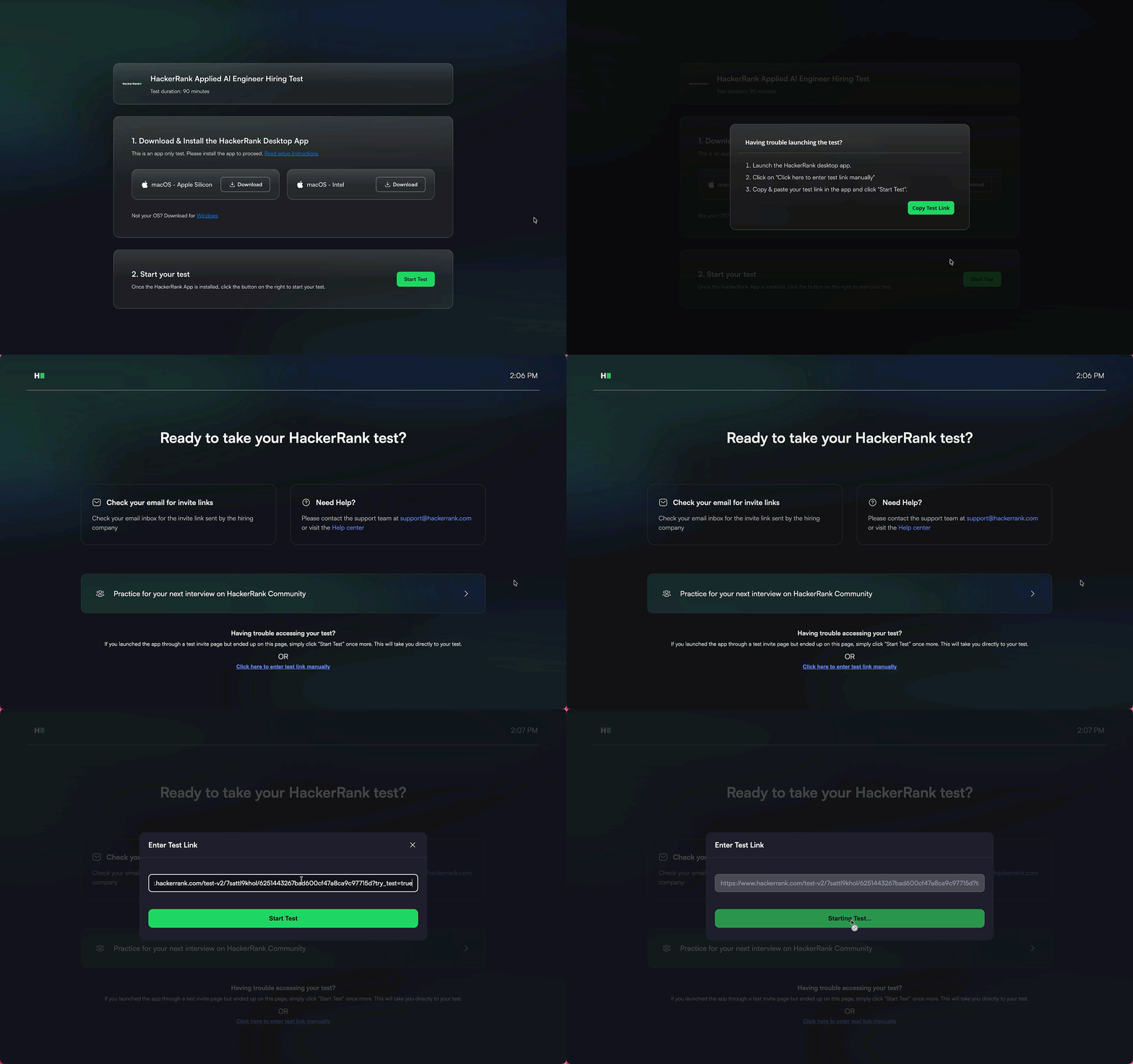
Manual Test Link Input in Desktop App
Candidates can now manually enter a test link in the Desktop App if the app does not open automatically when they click the test link. Previously, candidates who could not open the app had no way to start the test manually and had to contact the support team. This update allows candidates to paste the test link directly into the Desktop App and start the test without raising a support request.
Support for Non-Admin Users on Windows
The Desktop App can now be installed by Windows users without admin privileges. This allows candidates using devices without admin access to download the app themselves and complete assessments without IT support.
For more information, see 📄 HackerRank Desktop App Mode and Attempting Tests using HackerRank Desktop App.
Candidate Experience Improvements
Test Submission and Section Navigation Confirmations
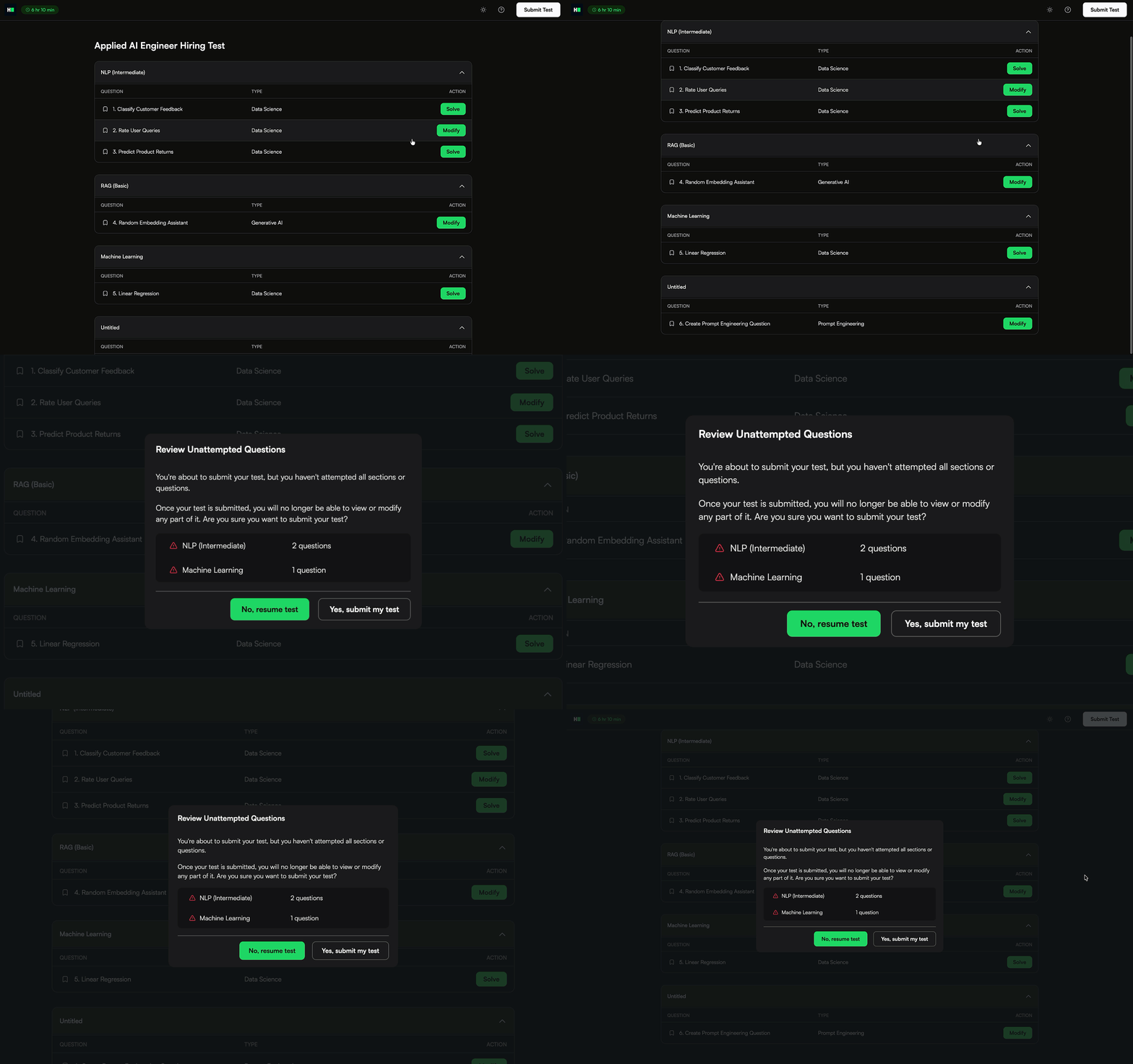
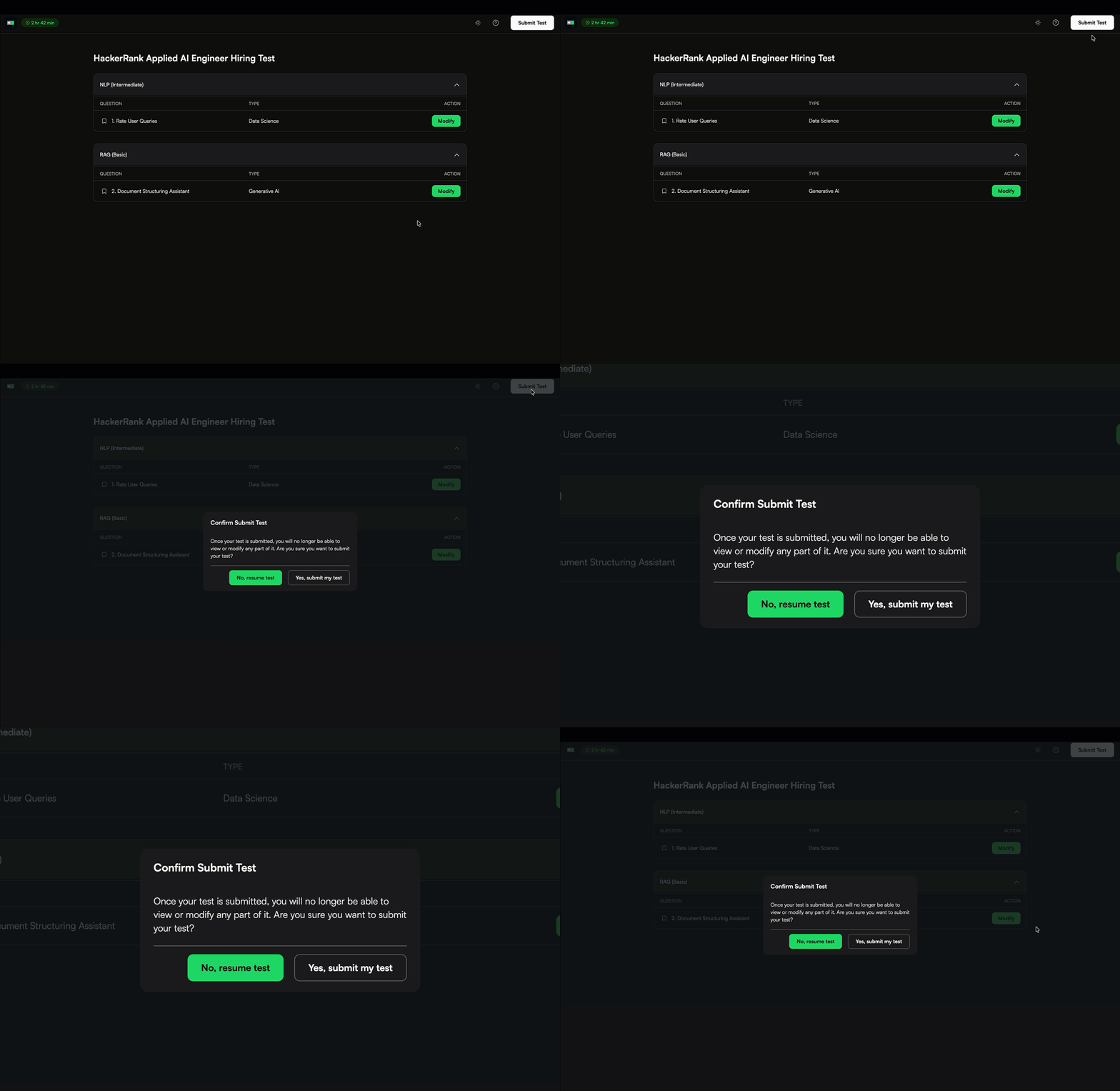
Candidates now see confirmation dialogs at key steps during a test to prevent accidental submissions and missed questions:
Incomplete submission check: A confirmation dialog highlights unanswered sections before submitting a test.
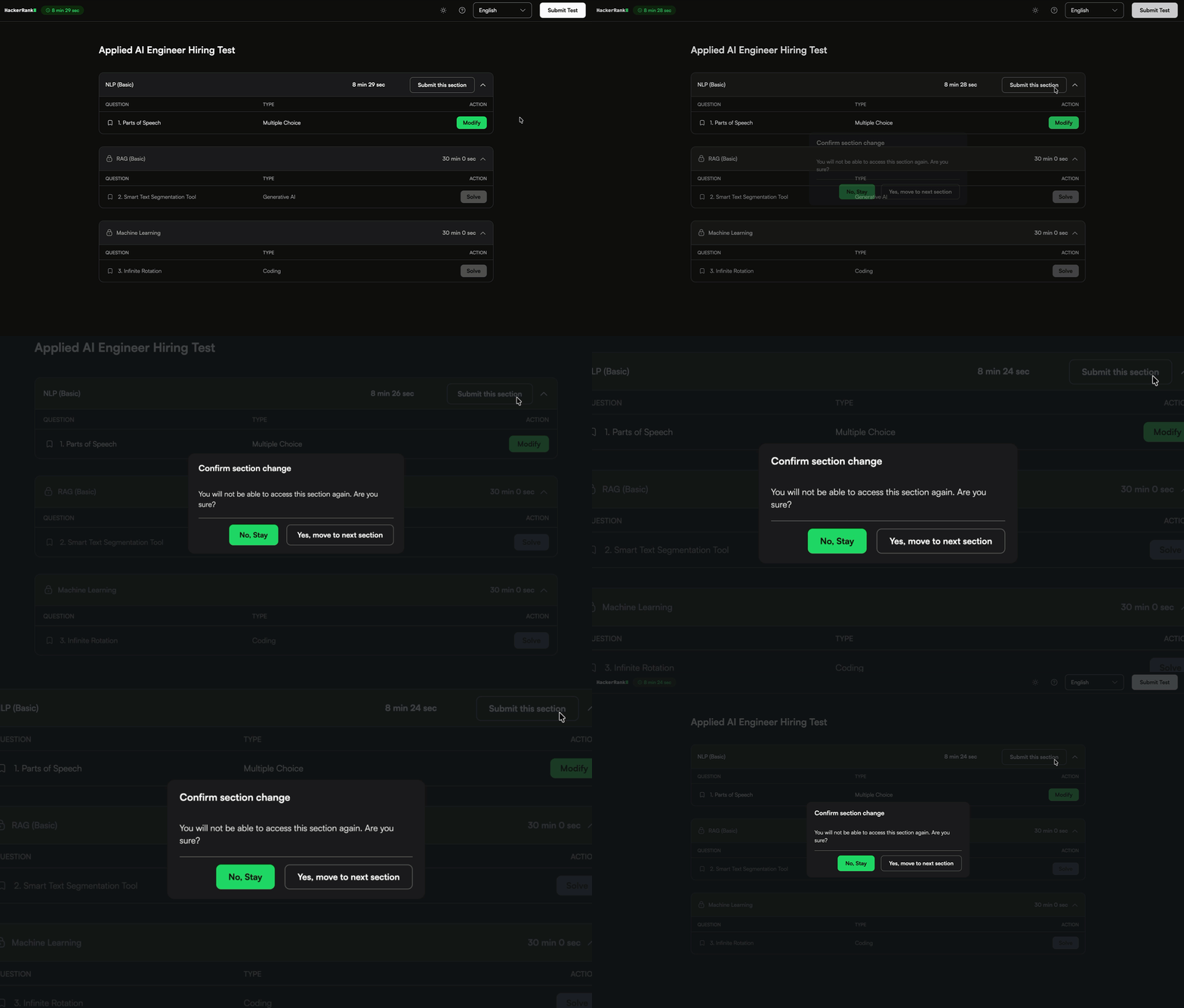
Section change confirmation: A confirmation dialog appears when moving to a new section that cannot be revisited.
Final submission confirmation: A confirmation dialog ensures candidates understand that the test cannot be modified after submission.
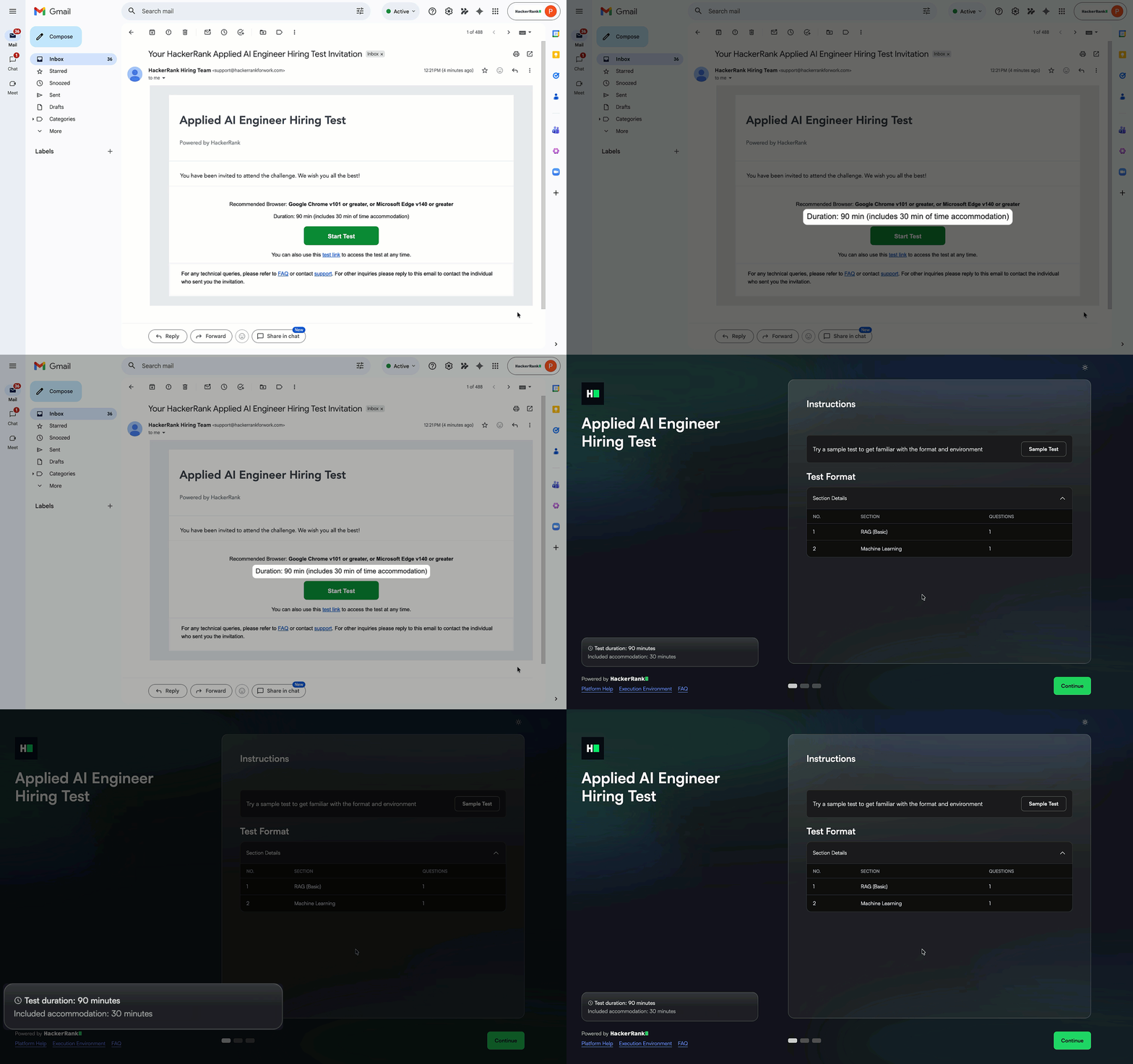
Time Accommodation Visibility on Test Landing Page
Candidates can now see their time accommodation separately from the base test duration on the test landing page before starting the assessment. This helps candidates clearly understand both the original test duration and any additional time granted.
For more information, see 📄 Extend Test Duration for Candidates.
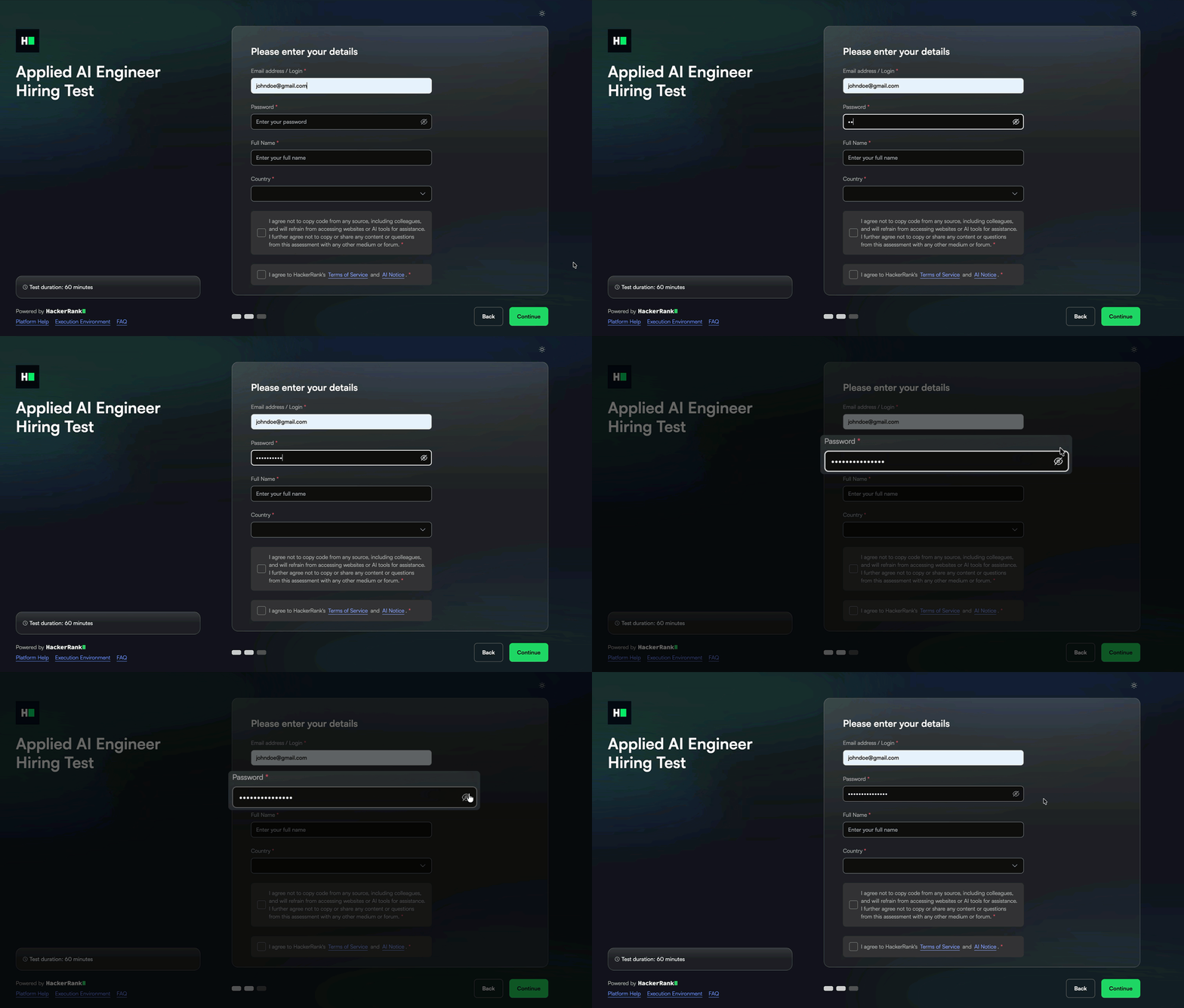
Show Password Option for Password-Protected Tests
Candidates can now view the password while entering it for password-protected tests using the password show option (eye icon). This helps reduce login errors caused by mistyped passwords.
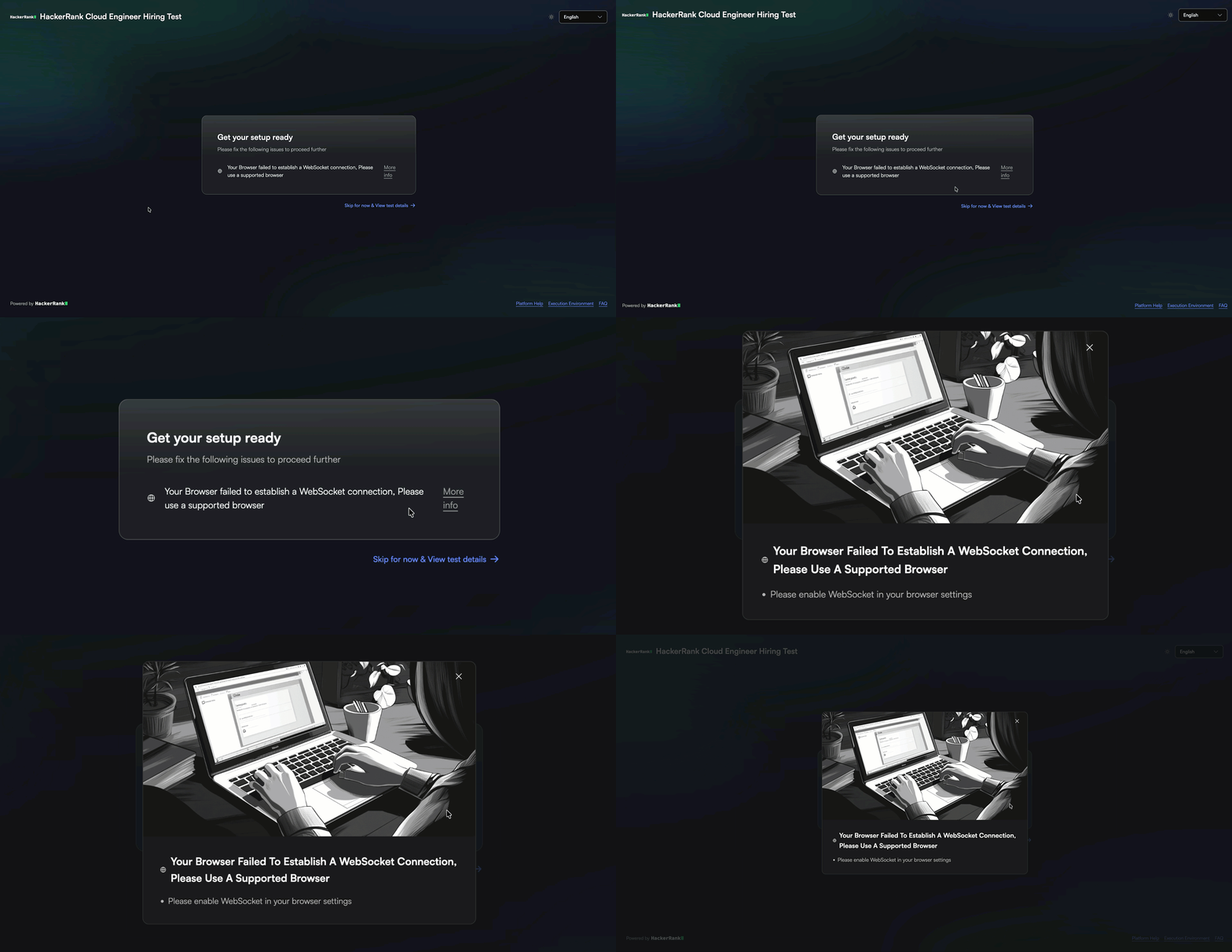
WebSocket Connectivity Check on Compatibility Page
The pre-test compatibility page now detects WebSocket connectivity issues and provides guidance to resolve them. This helps candidates identify and fix setup issues before starting the test.
For more information, see Troubleshooting Test Login Errors.
AI Policy Acknowledgment During Onboarding
Candidates now see an AI Notice as part of the onboarding flow, alongside the Terms of Service. This ensures candidates acknowledge the AI usage policy before starting the assessment.
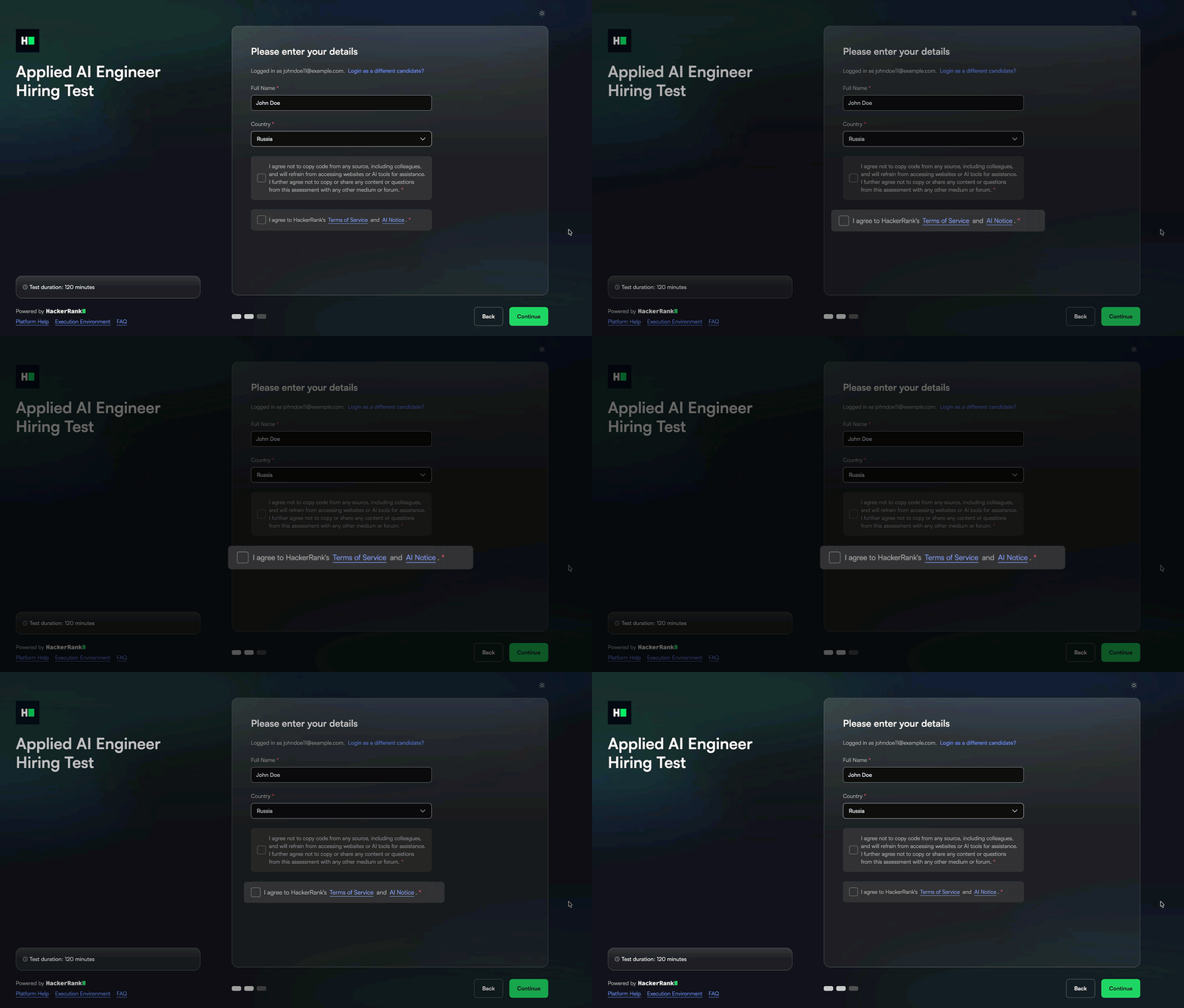
For more information, see Logging into HackerRank Tests.
Sample Tests for Whiteboard Questions
Candidates can now access a sample test for assessments that include whiteboard questions. This helps them practice and become familiar with the whiteboard interface before starting the test.
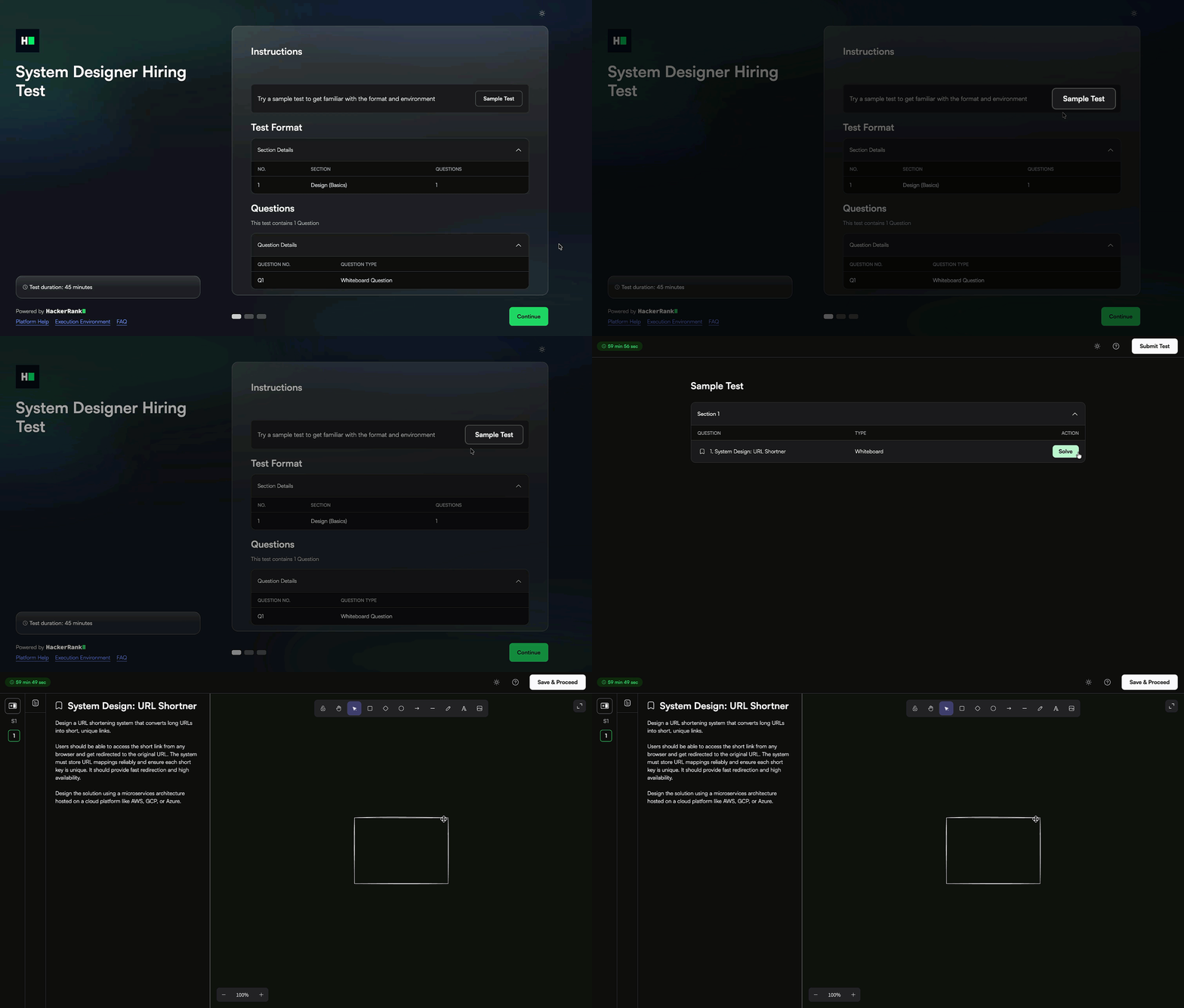
Simplified Access to Azure Questions
Candidates can now access the Azure question environment without an additional authentication step, reducing setup friction at the start of the assessment.
For more information, see Answer Cloud Questions.
Removal of Instructions File in Project-Based Questions
The project_files_instructions.md file is no longer included in the project questions in the library. This file previously provided instructions about read-only files and appeared when the question loaded. This change simplifies the workspace and reduces unnecessary distractions during the assessment.
Interview
Interview-Level Controls for AI Assistant (AI Add-On)
You can now enable or disable the AI Assistant at the interview level, rather than relying solely on company-level settings. When enabled, interviewers can choose to disable it after joining the interview. When disabled, the AI Assistant remains unavailable throughout the interview.
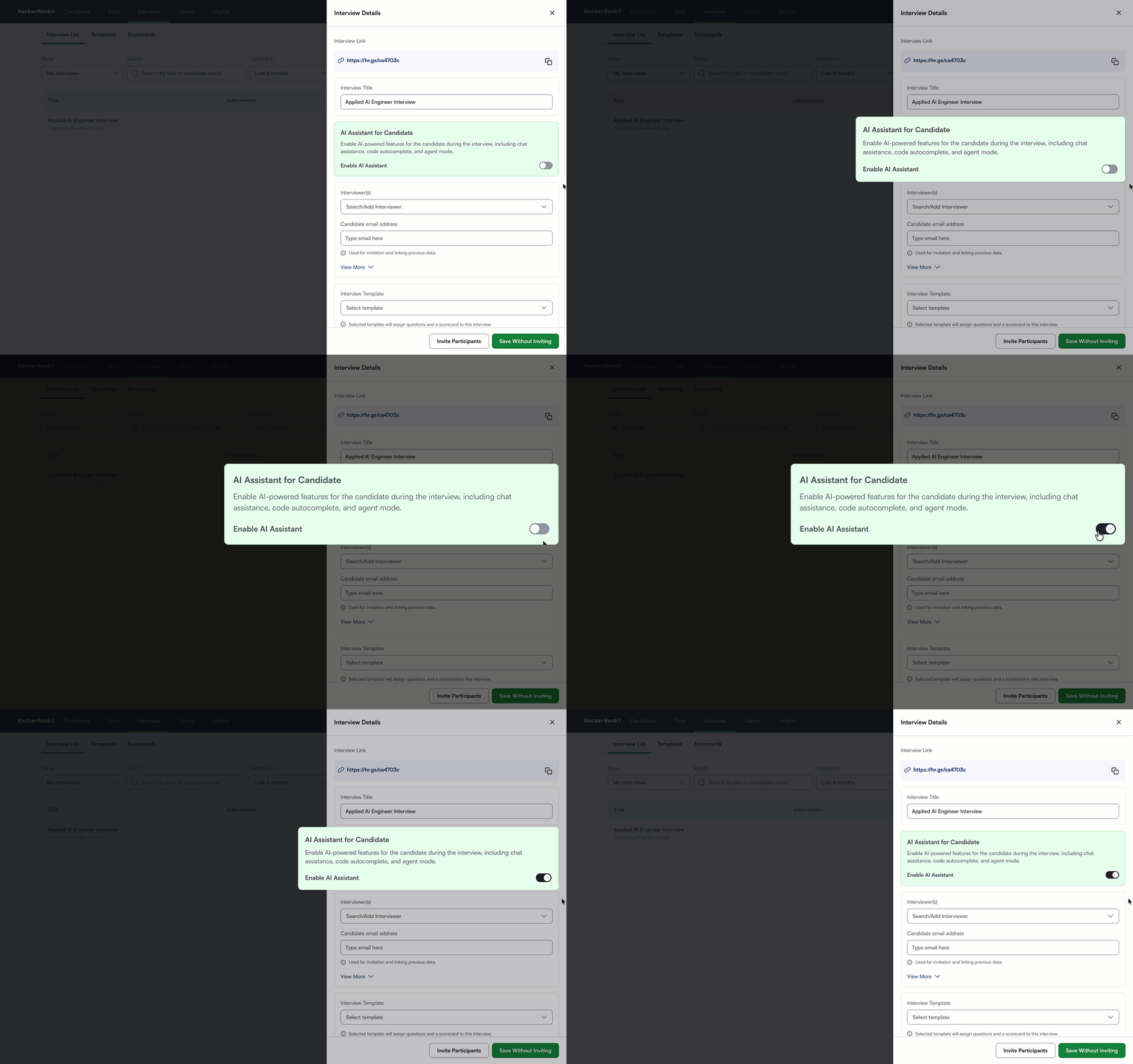
For more information, see 📄 AI-Assisted Interviews.
Code Repository Questions in Interview Library and Templates
You can now access Code Repository questions directly in the Interview Library and add them to interview templates. This lets you discover, reuse, and add repository-based tasks to your interview workflow more efficiently.
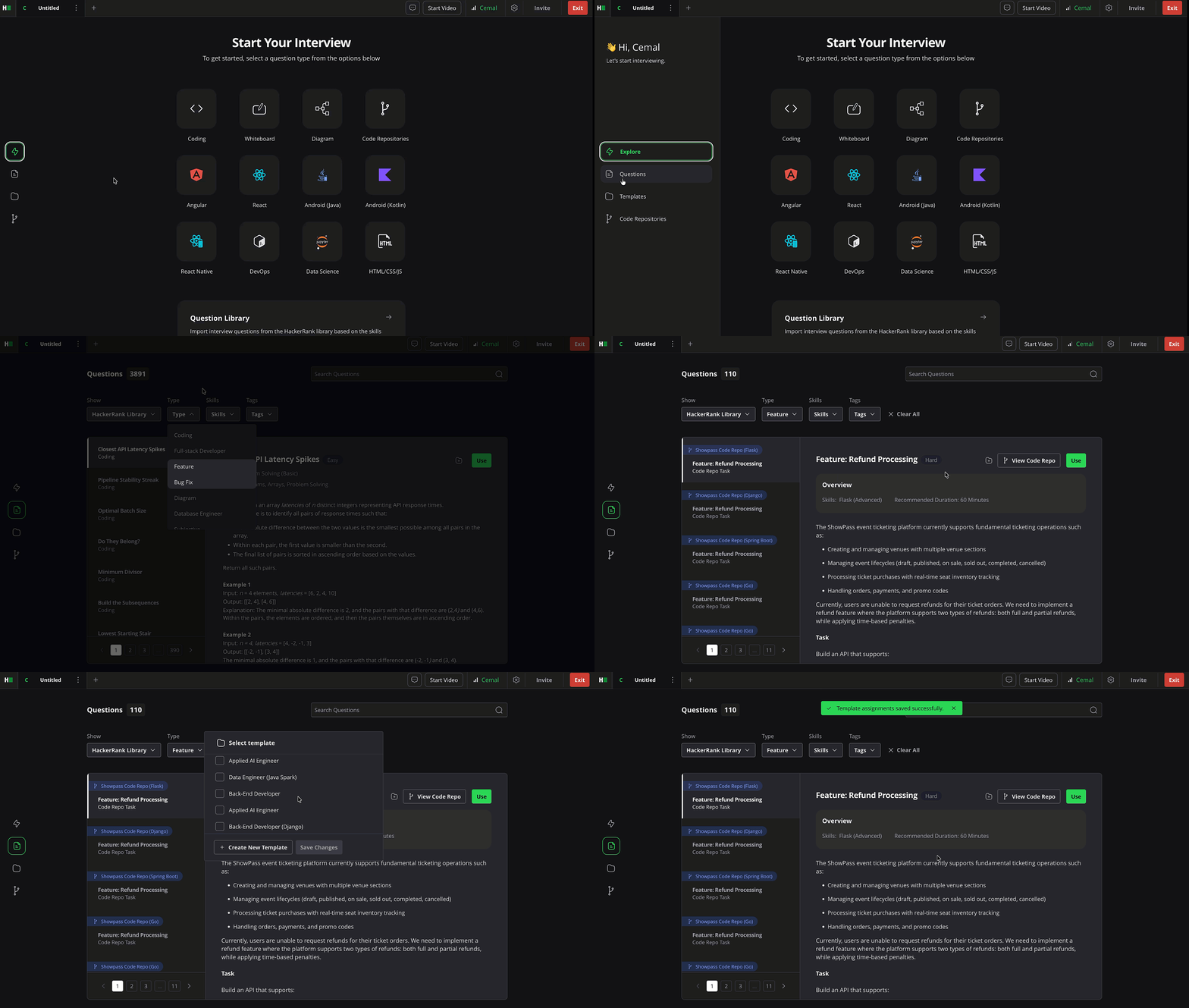
For more information, see 📄 Add Questions to Interview.
Disable Built-in Audio and Video in Interviews
You can now disable built-in audio and video in interviews at the company level. This eliminates the need to manually disable audio and video for each interview when using external communication tools, while continuing to use HackerRank for technical collaboration and evaluation.
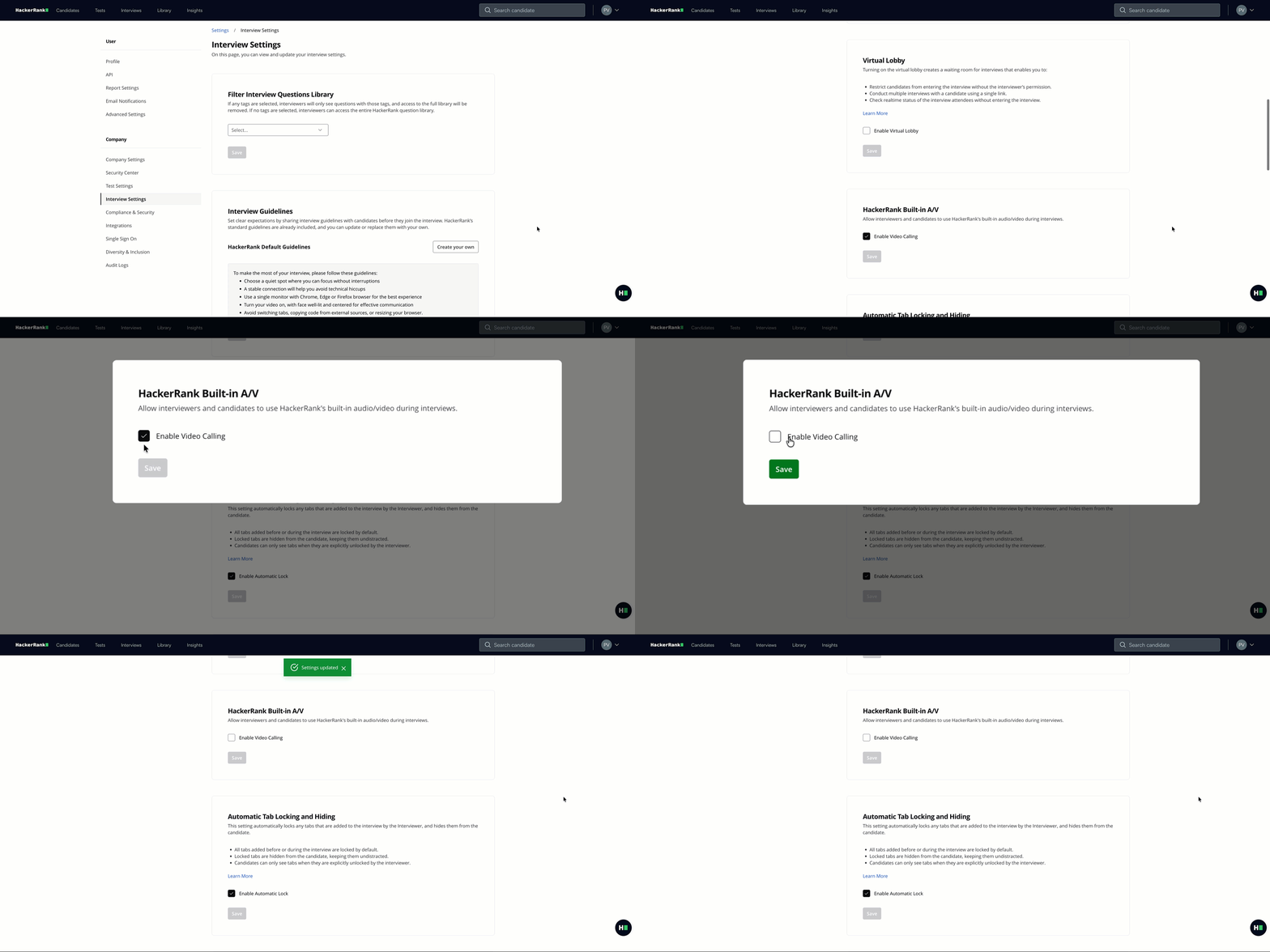
For more information, see 📄 Centralized Interview Settings.
Redesigned Interview Listing Page
The candidate timeline has been redesigned to provide a clear view of each candidate’s activity, including invites, attempts, and interviews in one place. You can access test links, re-invite candidates, add time to tests, and view, share, or download reports directly from the timeline.
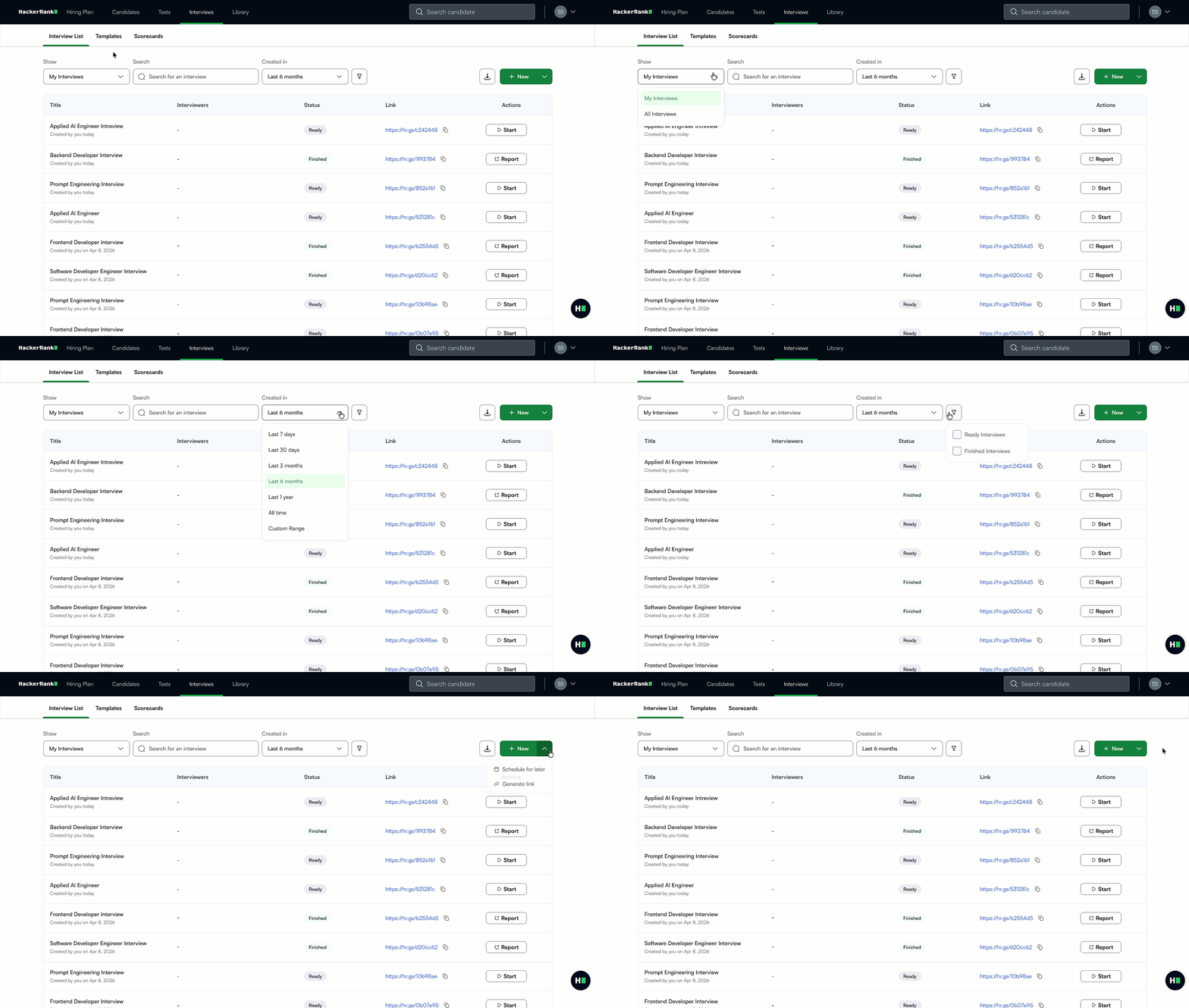
For more information, see 📄 Create an Interview, 📄 Export Interview List, and 📄 Interview Report.
Interview Integrity
Real-Time Interview Integrity Signals in the Timeline
You can now view interview integrity signals in real time. When you open the timeline panel, signals appear as candidate activity occurs, giving you immediate visibility into behaviors such as tab switching, copy-paste actions, and other flagged events. While the panel is closed, notifications remain grouped and appear at intervals to avoid distracting interviewers.
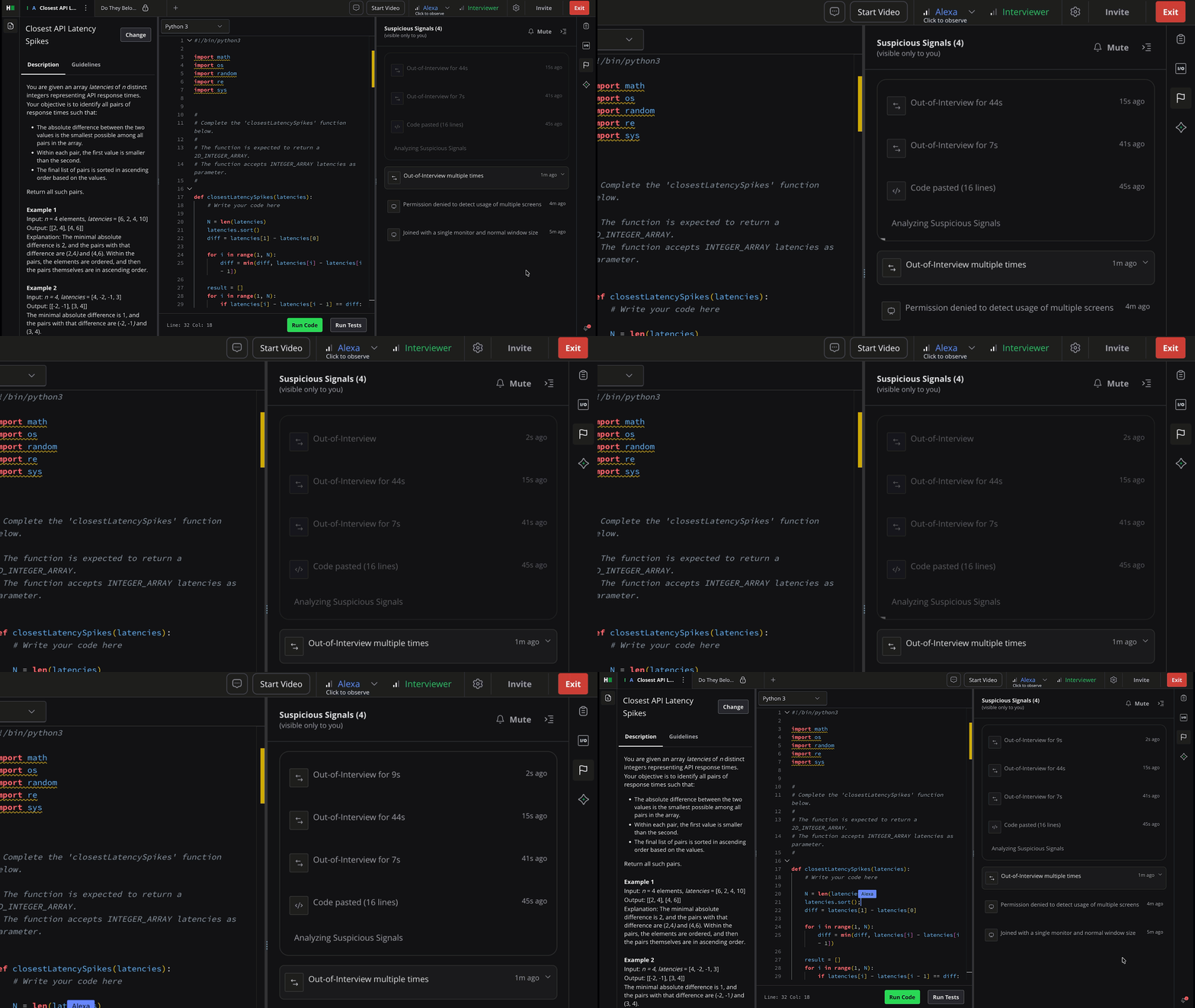
For more information, see 📄 Interview Integrity Signals.
Interview Integrity Signals for Project and Code Repository
Interview integrity signals now support Project questions (front-end, back-end, full-stack, and mobile development) and Code Repository questions, in addition to coding and whiteboard questions. The system detects suspicious activity, such as repeated copy-paste actions, frequent window resizing, and tab switching, and surfaces it in real time in the timeline panel. Related events are grouped into clusters for notifications.
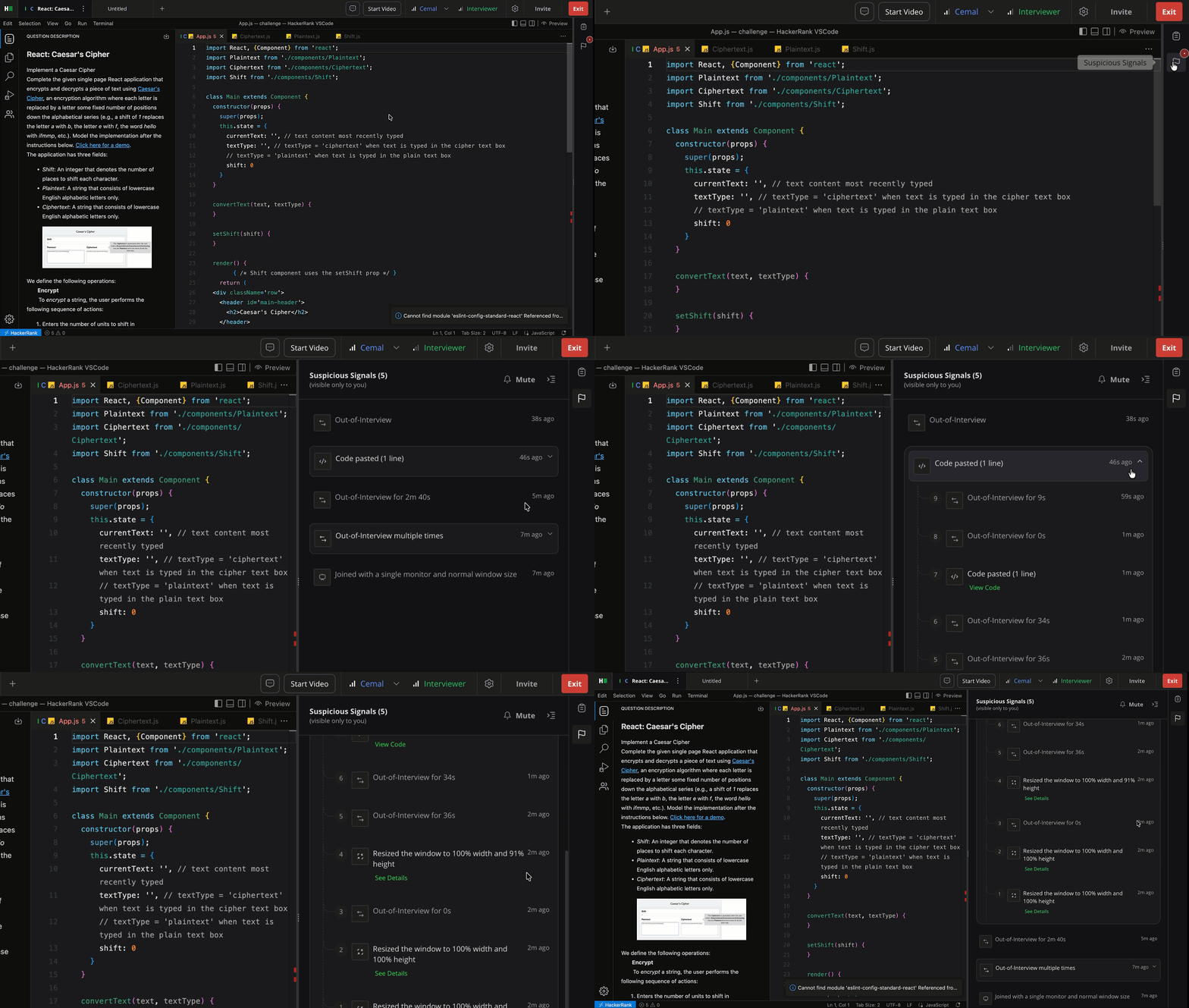
For more information, see 📄 Interview Integrity Signals.
Out-of-Interview Activity Details
You can now expand Out-of-interview events in the integrity signal timeline to view each occurrence individually. Each entry includes a timestamp and duration, giving you clearer visibility into when and how long a candidate was outside the interview.
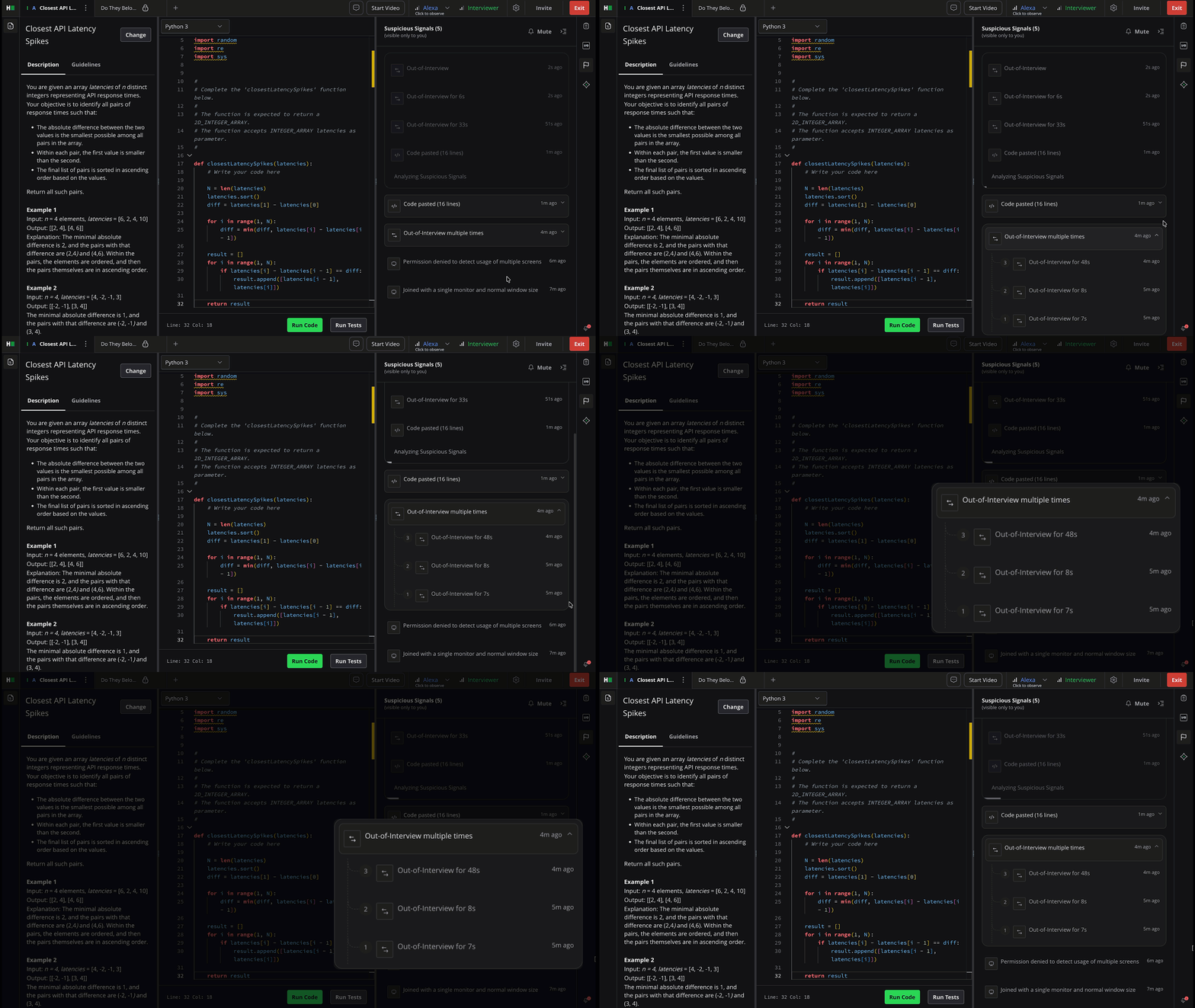
For more information, see 📄 Interview Integrity Signals.
Candidate Experience Improvement
VIM Mode for Project-Based Questions
VIM mode, a keyboard-driven editing mode, is now supported for project-based interview questions, including front-end, back-end, and full-stack question types. You can choose VIM from the Edit mode options in interview settings.
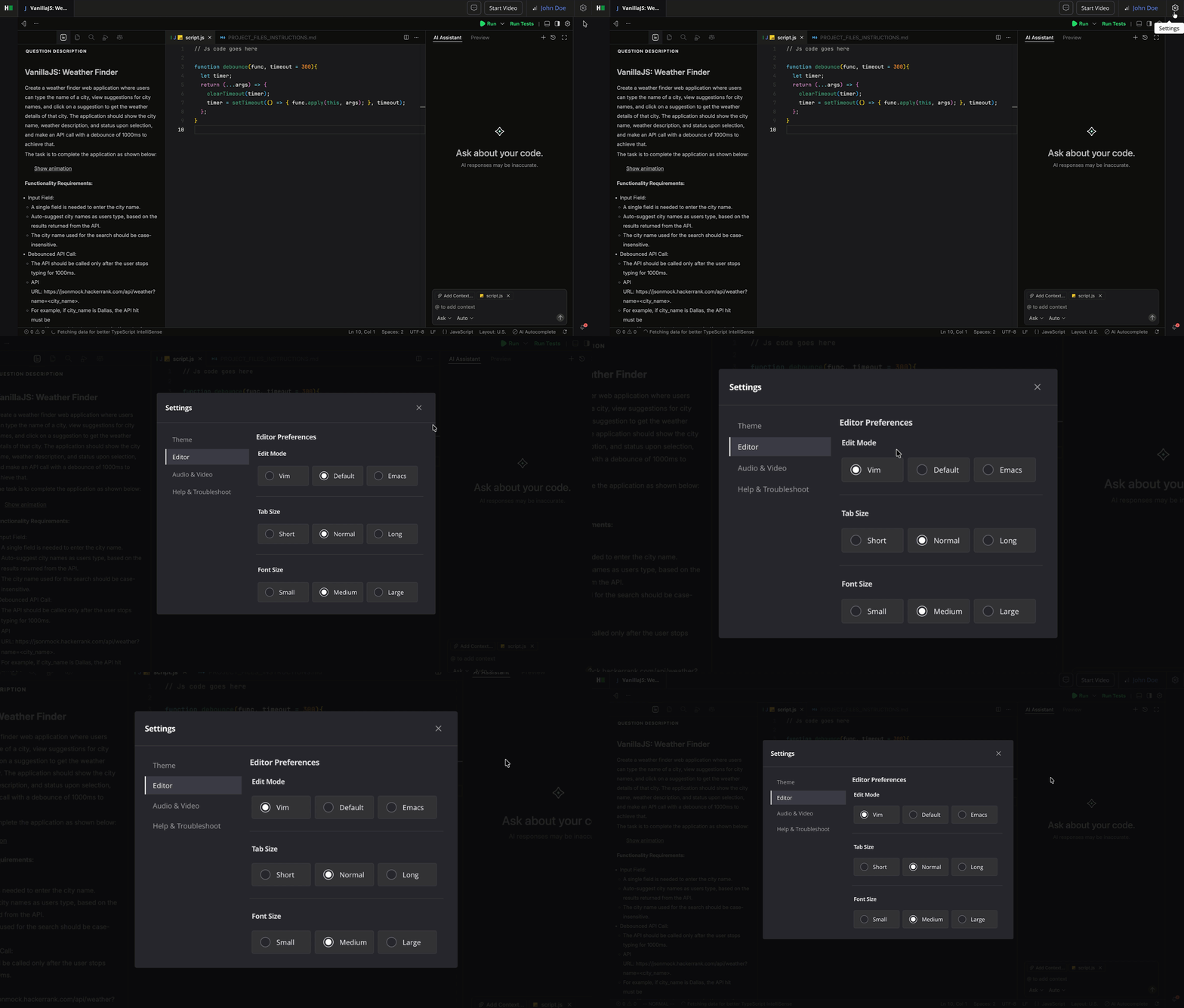
For more information, see 📄 Configure Interview Settings.
Platform
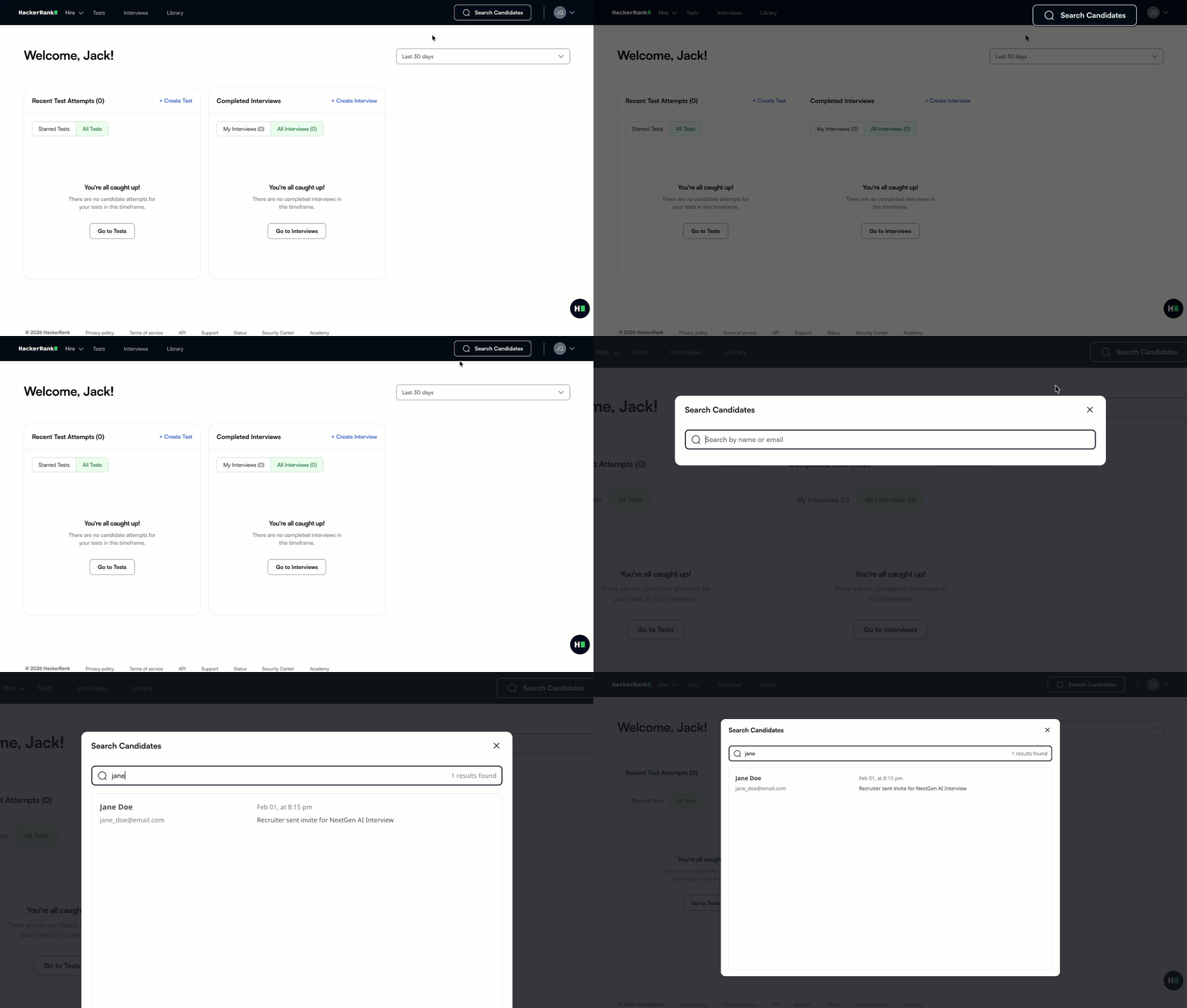
New Candidate Search Experience
You can now access candidate details directly from the home page, making it easier to find and review candidates. Candidate search is now faster, helping you find candidates and access their information within a fraction of a second.
Redesigned Candidate Timeline
The candidate timeline has been redesigned to provide a clear view of each candidate’s activity, including invites, attempts, and interviews in one place. You can take actions directly from the timeline, such as viewing reports, sharing results, downloading reports, and accessing test links.
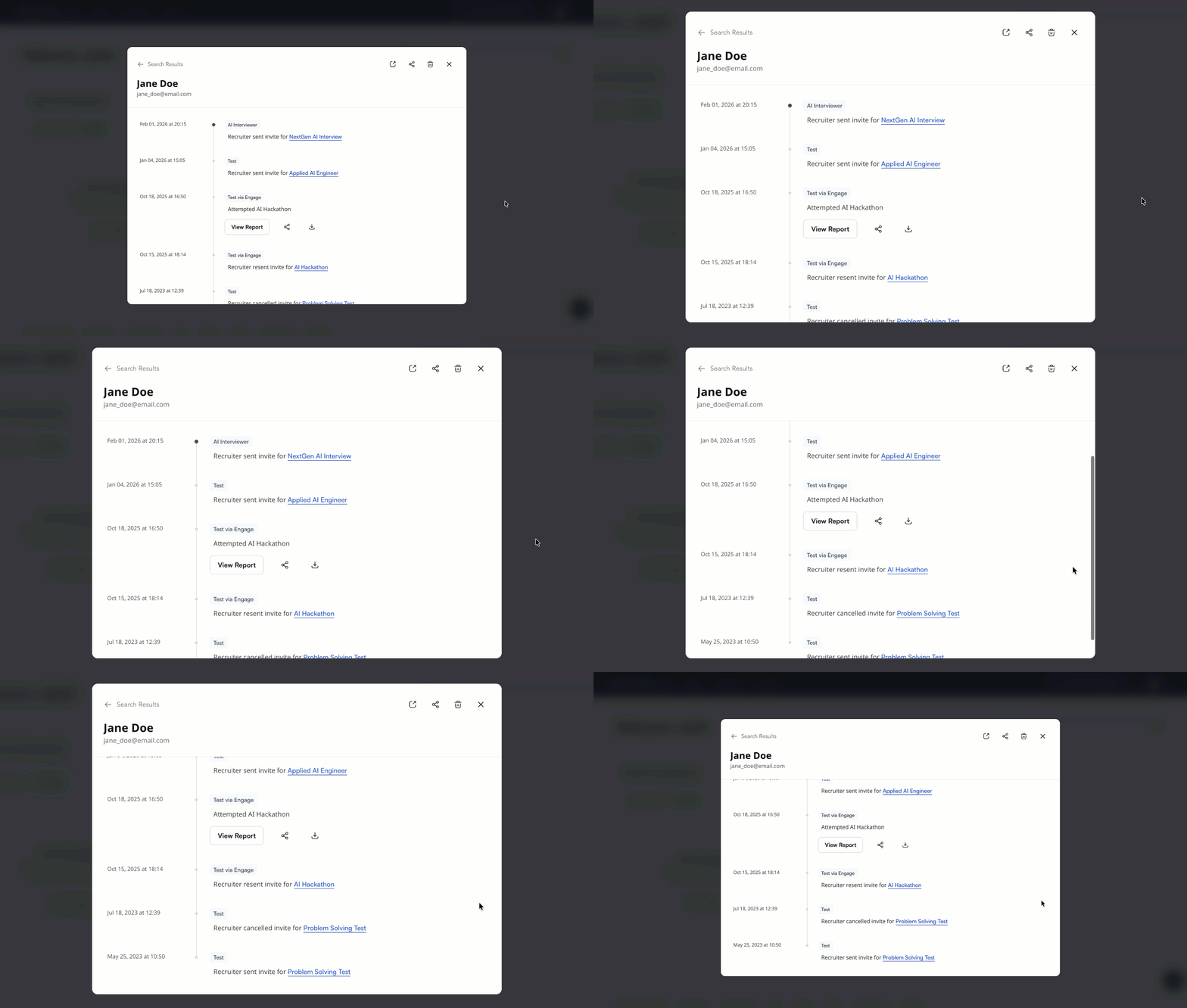
For more information, see 📄 Access Candidate Timeline.
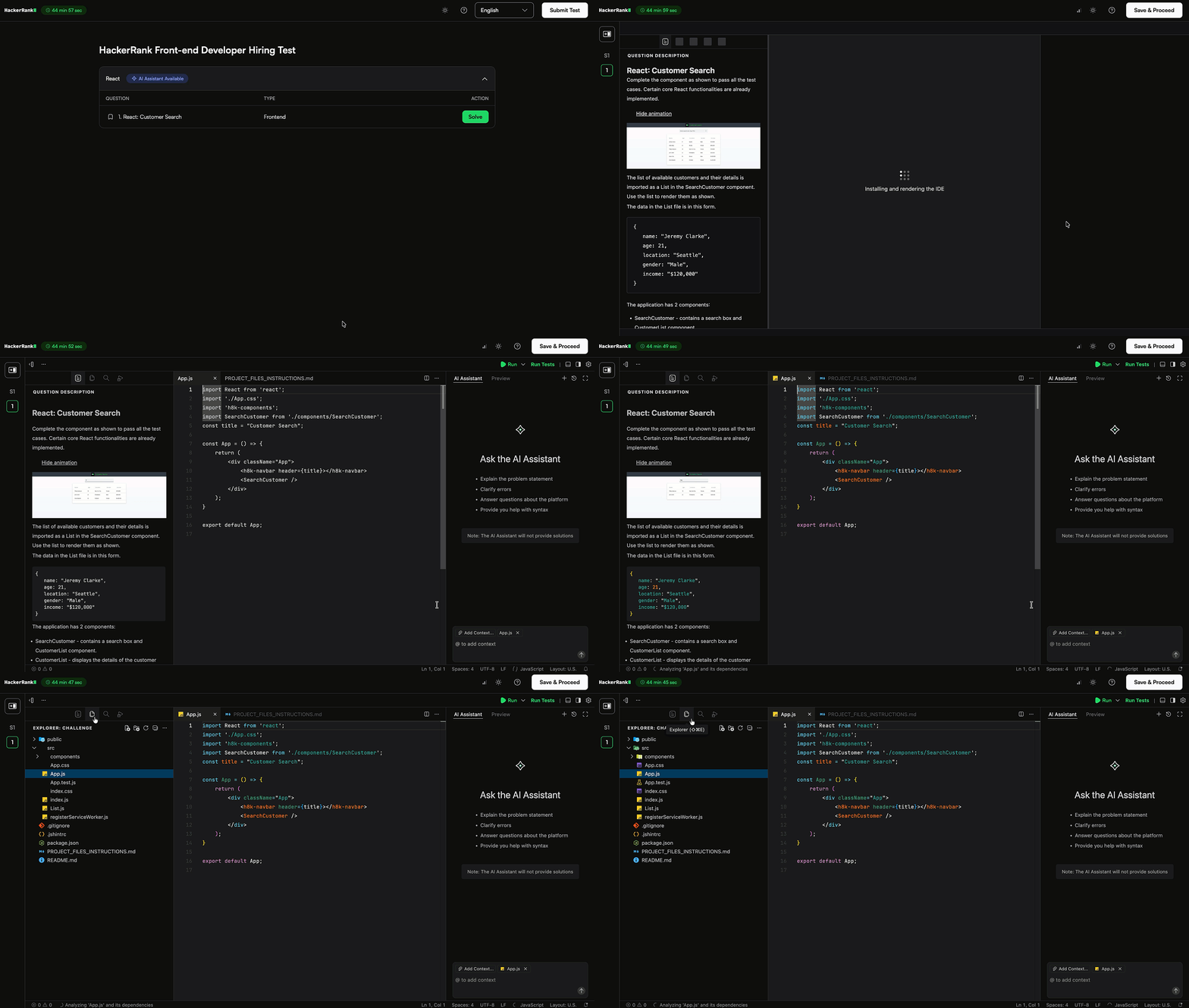
Improved IDE Experience
The IDE now provides clearer loading feedback and smoother transitions during test setup, with more transparent loading states and clearer error messages that include guidance when issues occur.
The interface has also been updated to reduce clutter and ensure a consistent experience across different screen sizes.
Scheduled Custom Reports
Admins can now schedule custom reports to run automatically. Choose how often the report runs—once, hourly, daily, weekly, monthly, or yearly—and set the date and time. Reports are generated on schedule and sent by email to the recipients you specify. You can update or remove a schedule at any time.
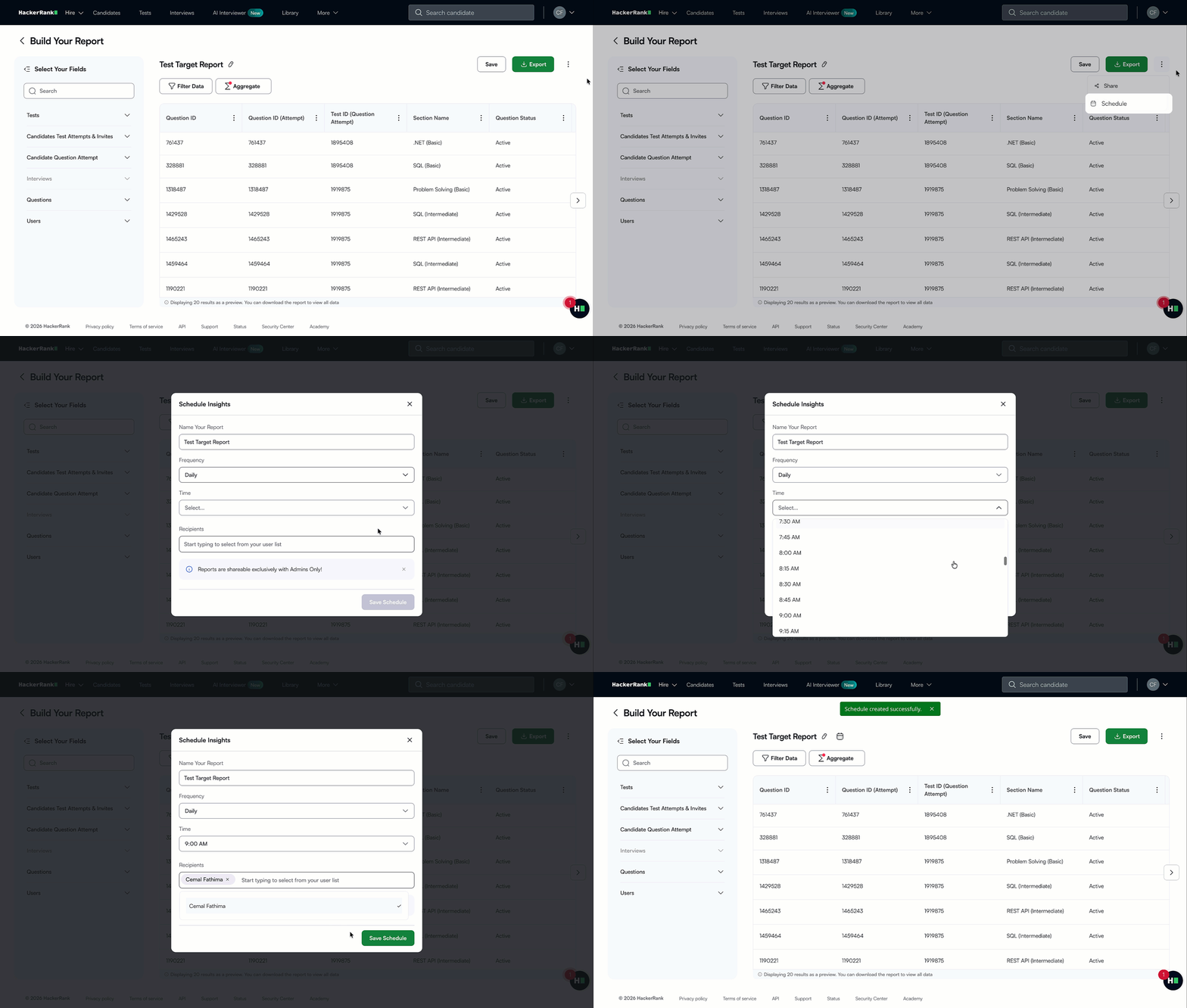
For more information, see 📄 Schedule a Custom Report.
Language Updates
Coding languages now support Python 3.14.2 and Java 8u472, enabling you to use the latest versions for coding questions.
For more information, see 📄 Execution Environment.
Project Environments Updates
Full-stack
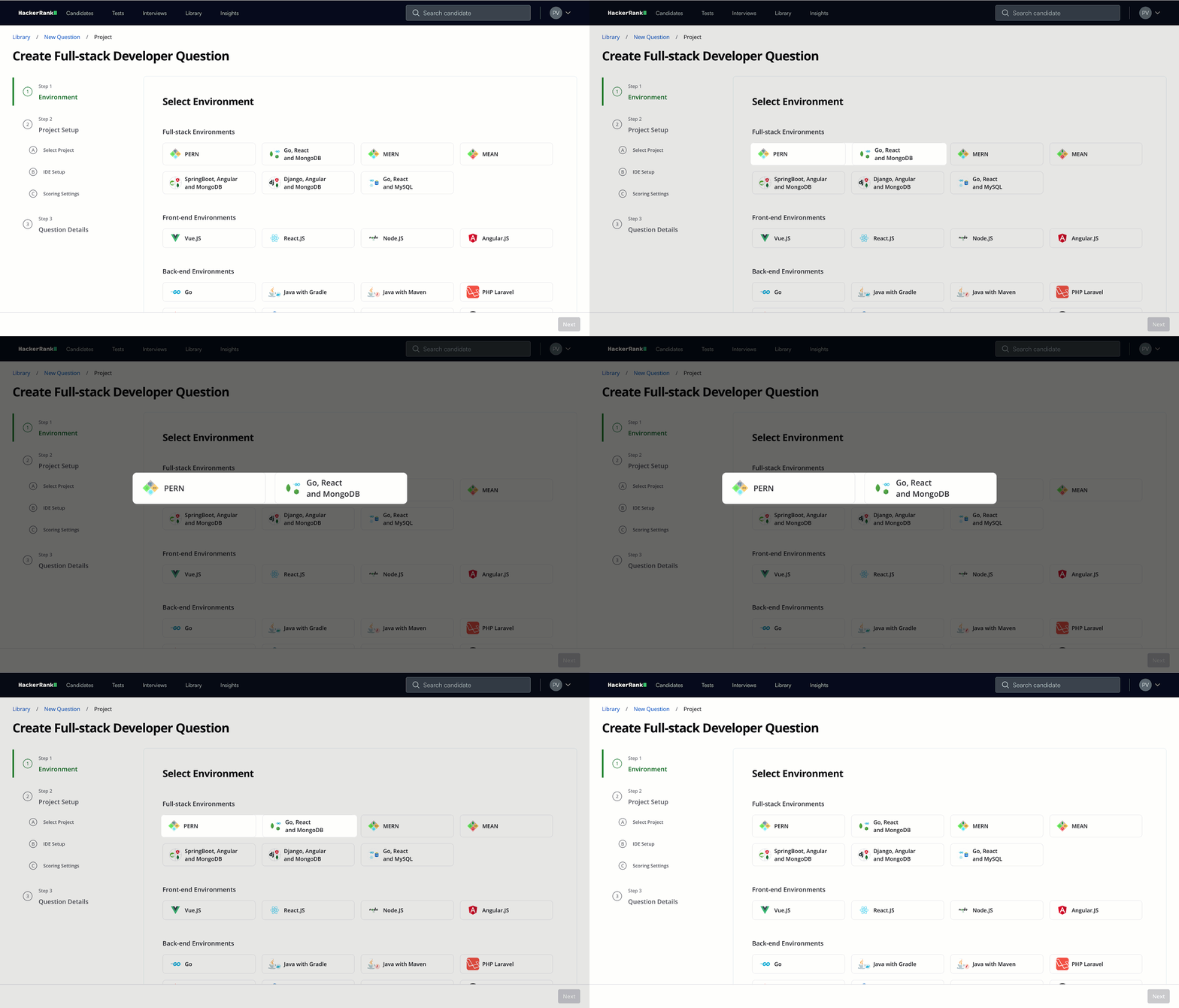
You can now create project-based full-stack questions using Go, React, and MongoDB and the PERN stack (PostgreSQL, Express, React, Node.js).
The Go, React, and MongoDB stack supports full-stack development with Go for back-end services, React for building user interfaces, and MongoDB for scalable data storage.
The PERN stack enables full-stack development using PostgreSQL for data storage, Express and Node.js for back-end APIs, and React for building user interfaces.
These additions help you assess candidates on real-world workflows, including API development, front-end integration, and end-to-end application development.
Back-end
Back-end environments now support Go 1.25, allowing you to evaluate back-end development using the latest Go runtime.
Mobile
Mobile environments now support Kotlin 2.3, enabling you to assess modern Android application development.
For more information, see 📄 Execution Environment.
Library Improvements
The HackerRank Library continued to expand, with a strong focus on code repository assessments, full-stack project coverage, and expanded language support. This release marks significant advancements in content quality, scale, and real-world workflows.
What’s New
Added 62 coding questions across Python, TypeScript, JavaScript, and C#.
Introduced 166 project questions across .NET, Angular, React Native, Selenium, and Spring Boot.
Added 176 tasks to code repository-based assessments across React, Node.js, Django, Spring Boot, Go, and Flask, covering feature development and bug fixes across all difficulty levels.
Launched new code repositories:
QuickBites (Food delivery application), available in MERN, Django, Spring Boot, Go, and Flask
Workflow (Task management system), available in MERN, Django, Spring Boot, Go, and Flask
MovieDB (Media platform), available in Django, Spring Boot, Go, and Flask
ShowPass (Backend-focused service), built on Node.js
Updated existing repositories:
Melodio (MERN): Added 10 new tasks
MovieDB (MERN): Added 2 new tasks
Added 6 Java multi-file questions focused on core DSA concepts, with no framework dependency.
Added 3 iOS code review questions covering SwiftUI and UIKit.
Rephrased 450+ coding problems to improve clarity, structure, and evaluation reliability.
Content Additions by Job Family and Skill
Job Family | Skill | Question Type | New Questions |
Software Engineering | Python | Coding | 20 |
Software Engineering | TypeScript | Coding | 23 |
Software Engineering | JavaScript | Coding | 9 |
Software Engineering | C# | Coding | 10 |
Web Development | .NET | Projects | 30 |
Web Development | Angular | Projects | 27 |
Web Development | React Native | Projects | 38 |
Web Development | Selenium | Projects | 48 |
Web Development | Spring Boot | Projects | 23 |
Web Development | React | Code Repository | 8 |
Web Development | Node.js | Code Repository | 31 |
Web Development | Django | Code Repository | 36 |
Web Development | Spring Boot | Code Repository | 36 |
Web Development | Go | Code Repository | 36 |
Web Development | Flask | Code Repository | 29 |
Chakra (AI Interviewer)
Dictation Support for Interview Creation
You can now use voice input to create your interview agent instead of typing prompts. This provides a more natural and efficient way to interact with the AI interviewer during setup.
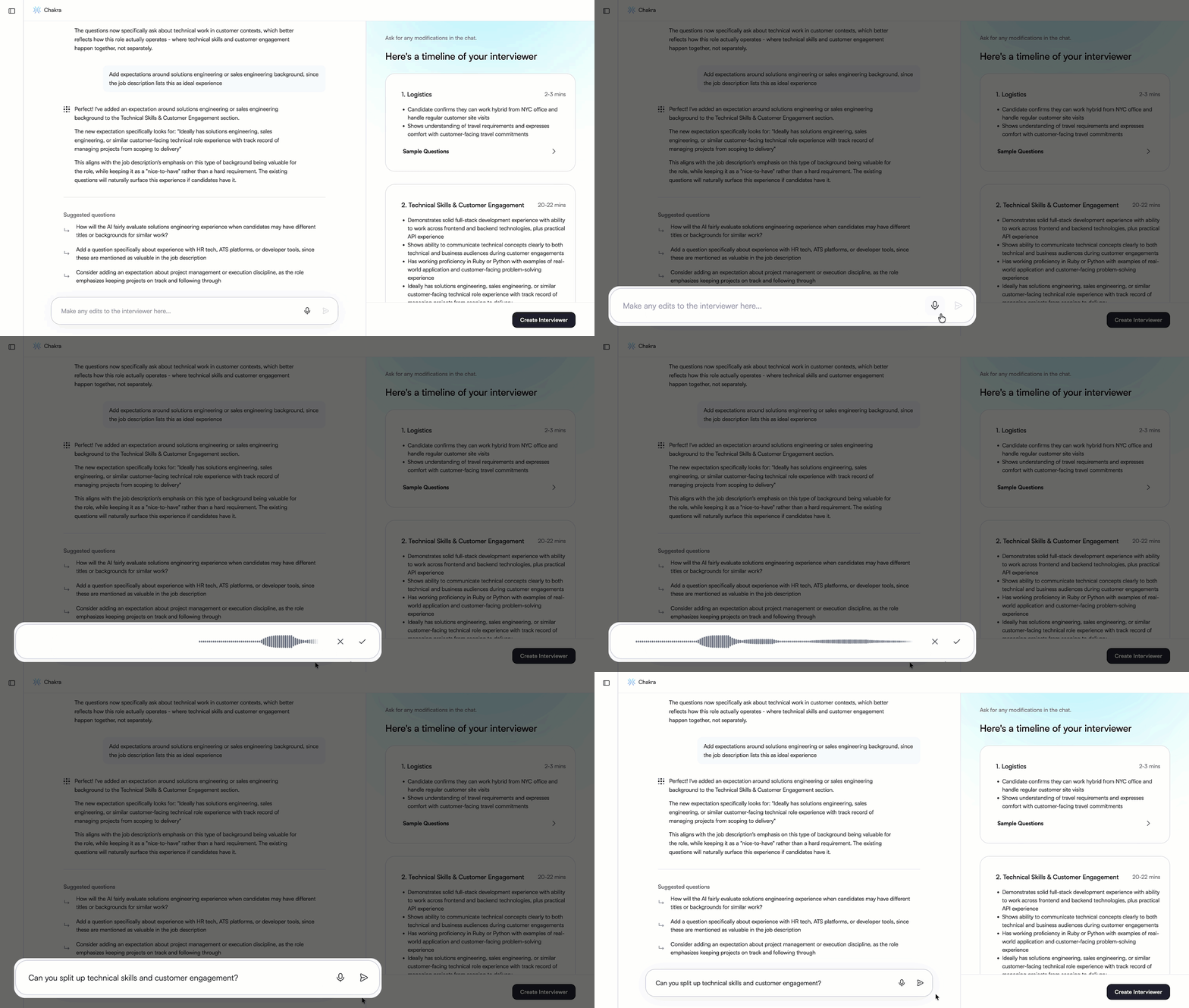
For more information, see 📄 Create an AI Interviewer.
Clone Interview Agents
You can now duplicate an existing interview agent and modify it to reuse configurations without starting from scratch.
This is useful when creating similar interview setups across roles, allowing you to quickly create adapted versions by updating existing prompts or sections.
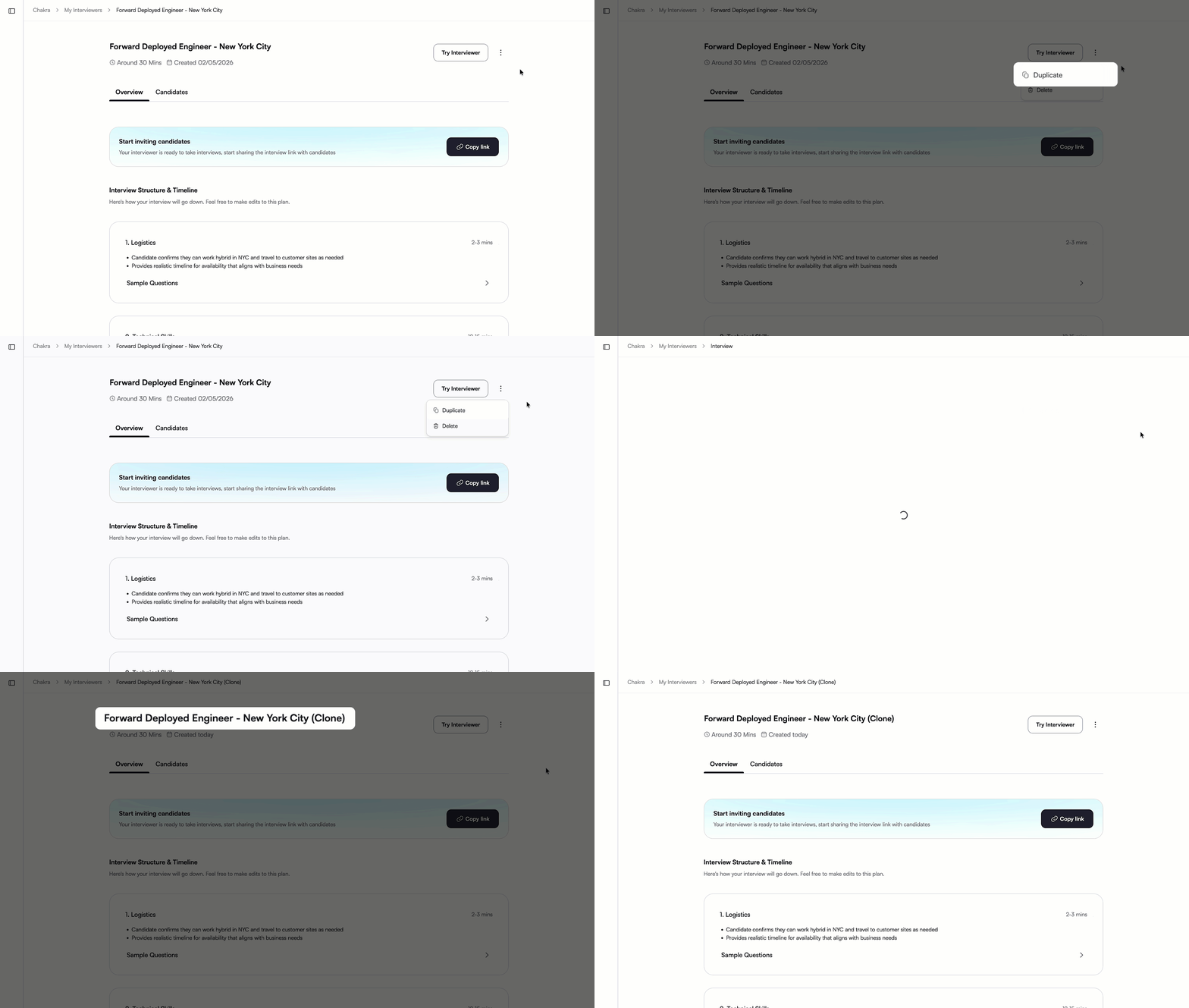
For more information, see 📄 Clone an AI Interviewer.
In-Session Device Testing
Candidates can now test their microphone, speaker, and camera, adjust settings such as self-view and real-time transcript, and preview the interview before starting.
This ensures everything is set up correctly before the interview begins.
For more information, see Interview with Chakra.
Latency and Transcript Accuracy Improvements
Latency has been reduced to improve responsiveness and create a more natural interview experience. Transcript accuracy has also been enhanced with noise and echo cancellation.
Time Management
The AI interviewer now tracks elapsed and remaining time during the interview. Like a human interviewer, it adjusts pacing to help ensure all topics are covered within the allotted time.
For more information, see 📄 Invite Candidates to an AI Interview.
Interview Reports Improvements
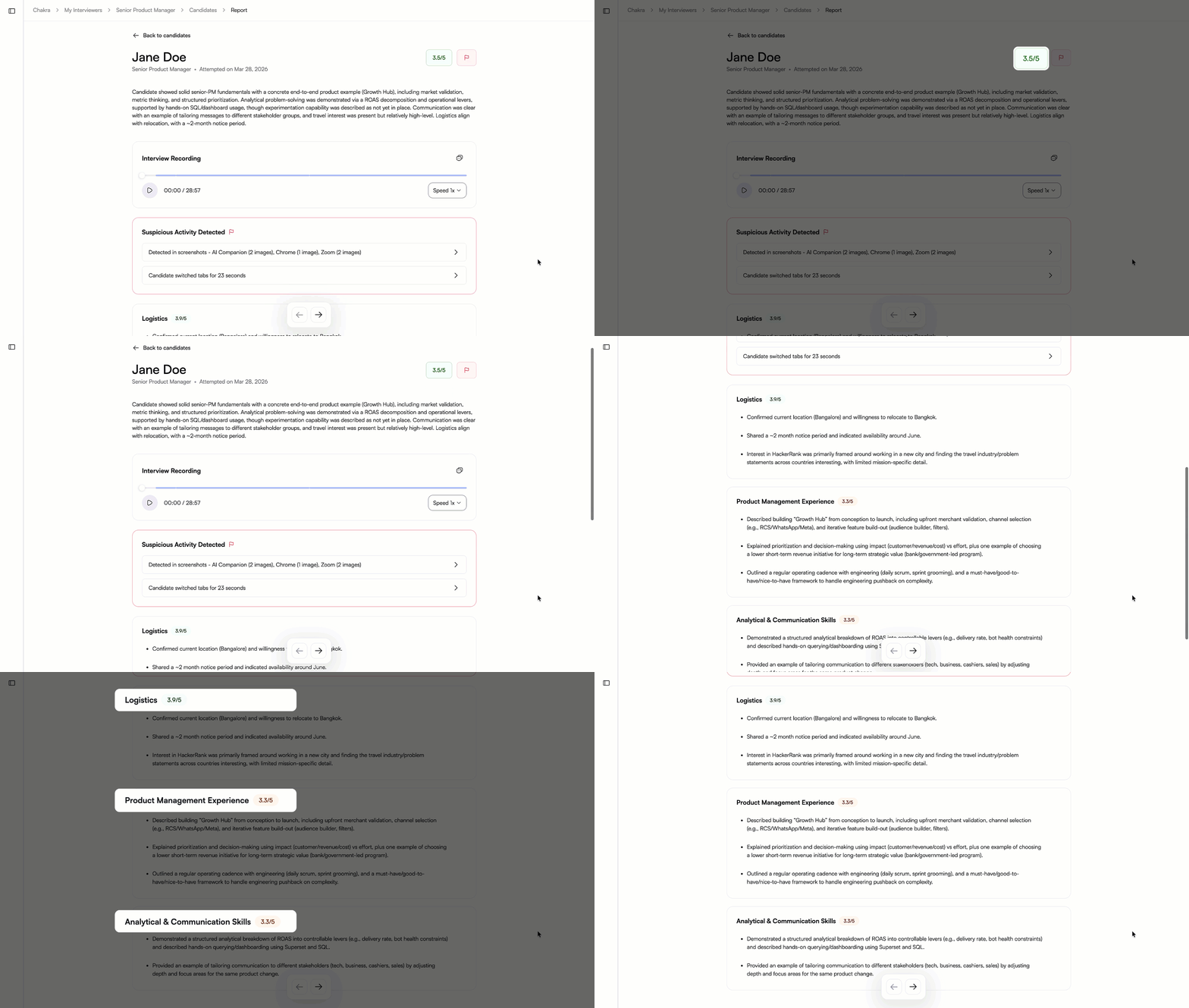
Quantitative Scoring
Interview reports now include quantitative scoring on a 5-point scale at both overall and section levels, replacing Strong, Moderate, and Weak fit labels. This improves score distribution and makes it easier to compare candidates.
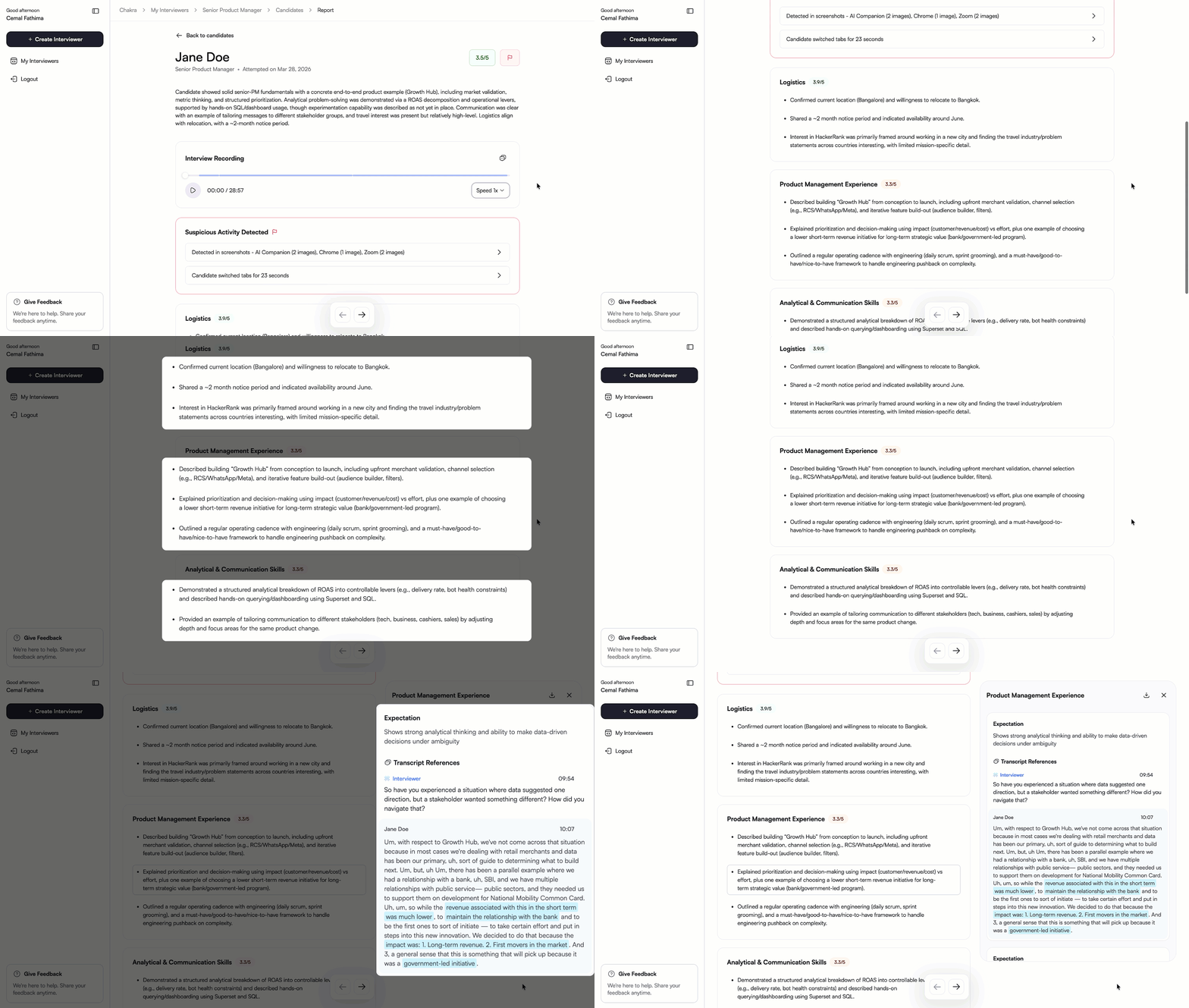
Structured Section Summaries
Section summaries are now presented as bullet points, making reports easier to review. Each bullet point includes supporting summaries, transcript references, highlighted responses, and timestamp-based audio playback.
Section-Aligned Transcripts and Audio
Transcripts and audio playback are now structured to match interview sections, making it easier to navigate and review specific parts of the interview.
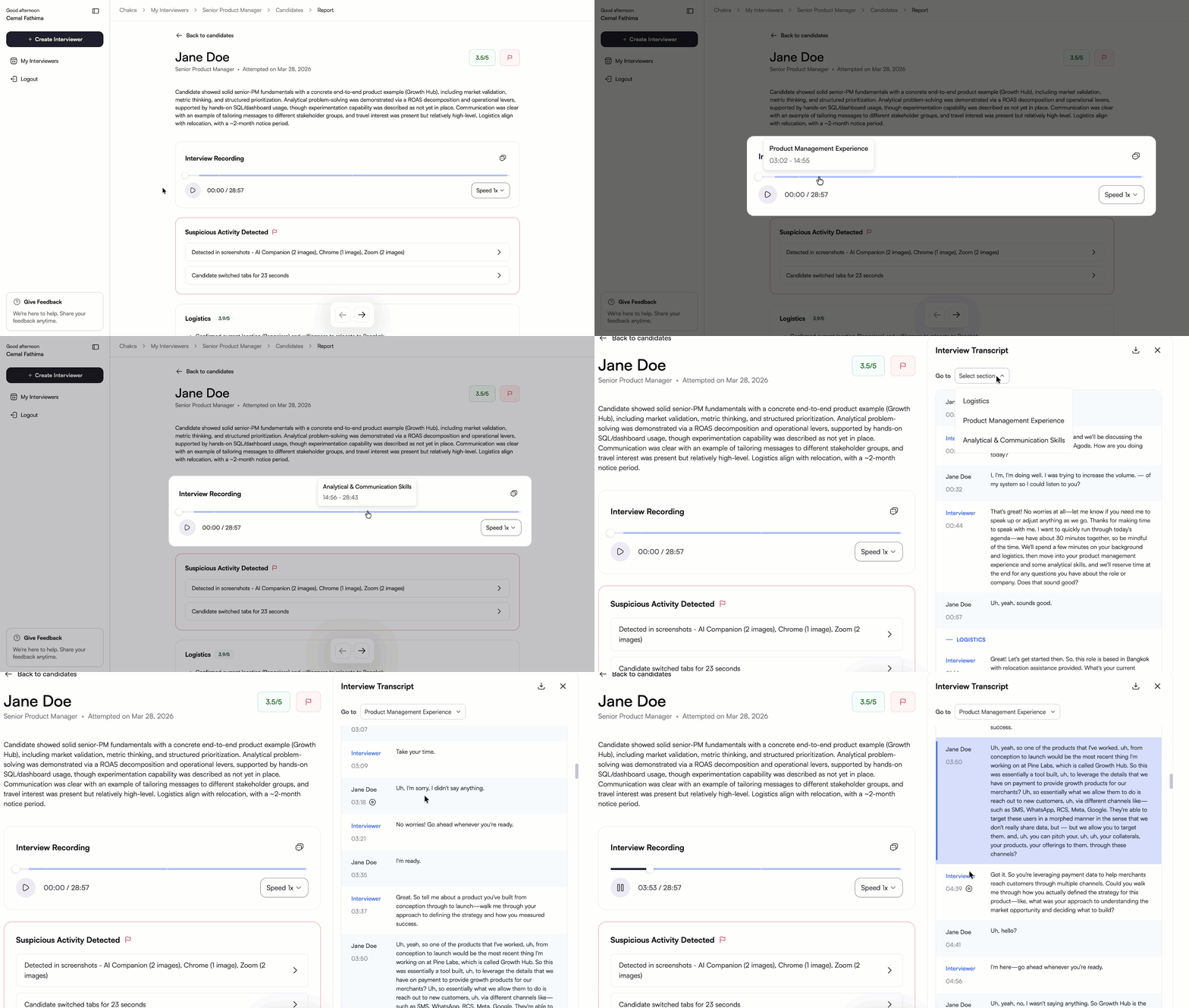
For more information, see 📄 View Candidate Report in Chakra.
Greenhouse and Ashby Integration
Chakra now supports integrations with Greenhouse and Ashby, allowing you to manage interviews and review reports within your existing ATS workflows.
For more information, see 📄 Greenhouse - Chakra Integration User Guide and 📄 Ashby - Chakra Integration User Guide.
SkillUp
Custom Certifications from HackerRank Tests
You can now import tests from HackerRank for Work into SkillUp as certifications. This helps you drive bespoke learning and certification requirements for your organization. Admins can view available tests, select the required ones, and import them through a self-serve workflow. Once imported, these certifications behave like any other SkillUp certification.
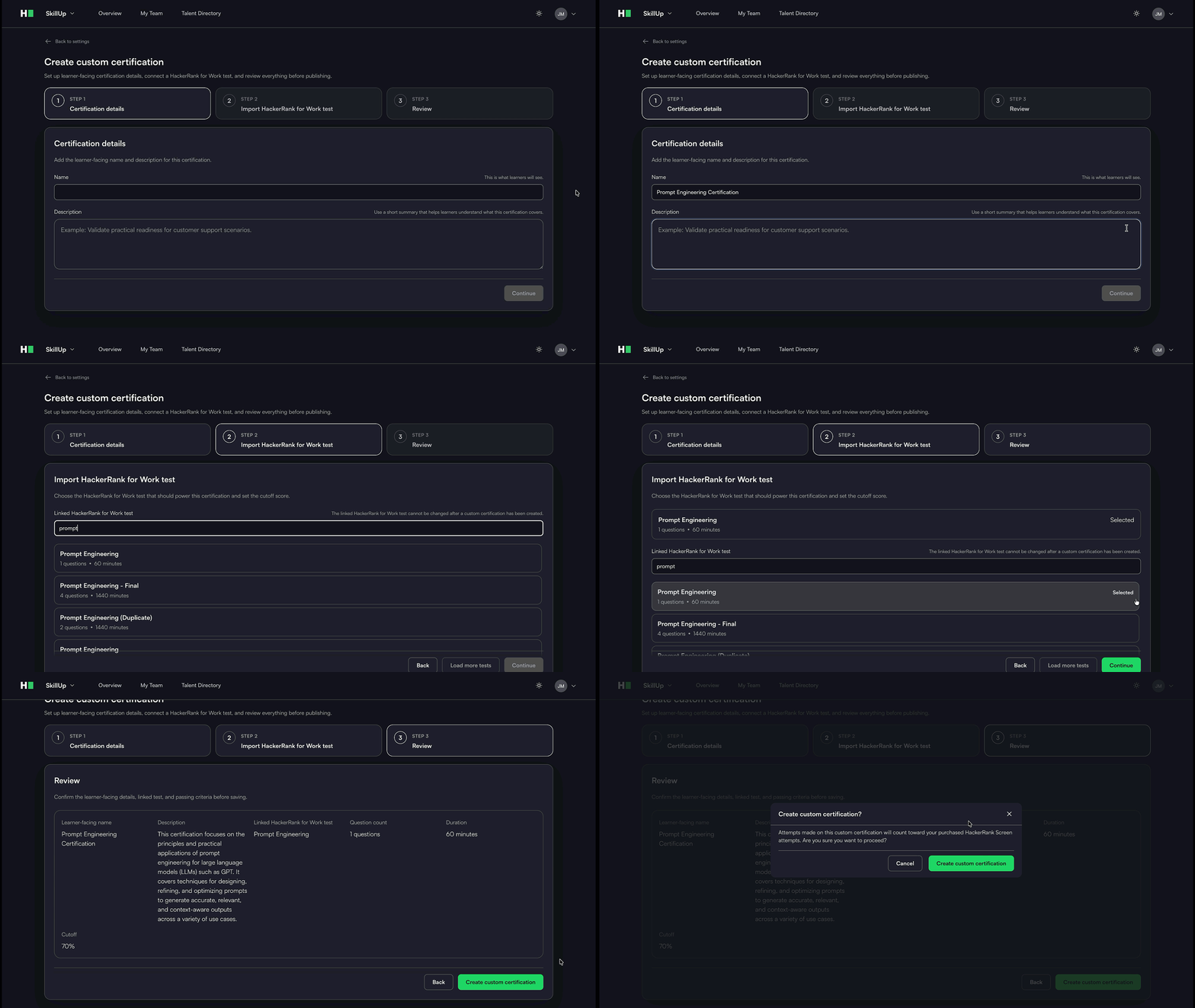
For more information, see 📄 Create Custom Certifications.
Certification Attempt History
You can now view past certification attempts and track performance across attempts. This enables admins to assess progress over time by reviewing the number of attempts and changes in scores.
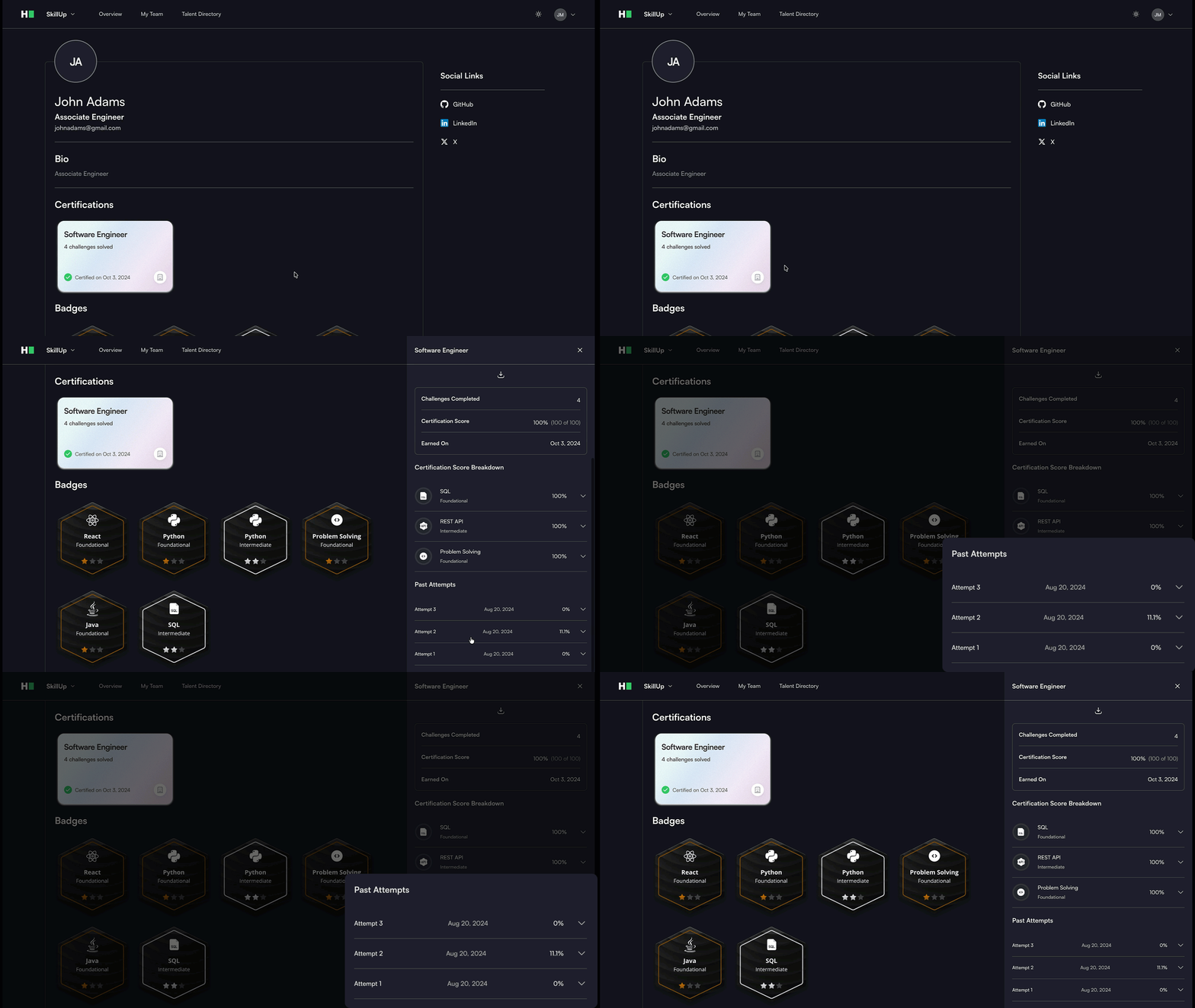
For more information, see Certification Attempt History.
Community
AI-Powered Mock Interviews
AI-powered mock interviews now support multiple voice-based interview formats, allowing you to simulate real-world interview scenarios end to end.
Technical Screen
Simulates a recruiter or hiring manager's technical screen. You can start with out-of-the-box interviewers or use your own job description to practice for an upcoming interview. The AI interviewer can also review your resume and ask contextual questions, similar to a real interviewer.
System Design
Simulates real-world system design interviews. You can use an integrated whiteboard to design systems, explain trade-offs, and visualize architecture during the session.
Behavioral
Simulates leadership and culture-fit interviews with open-ended questions. You can respond to questions about past experiences, decision-making, and collaboration using structured frameworks such as the STAR method.
AI Fluency
Simulates AI-focused interview rounds. You can practice how to apply AI in real-world scenarios, including working with LLMs, agents, and tools, and explain your approach during the interview.
For more information, see Introduction to Mock Interview, Technical Screen Mock Interview, System Design Mock Interview, Behavioural Mock Interview, and AI Fluency Mock Interview.
Deprecations and Experience Changes
Engage
Candidate Sourcing
The candidate sourcing feature in Engage, including the Candidate Assistant and JD-based candidate discovery from the HackerRank candidate library, has been deprecated.
You can continue to add candidates using existing import options, such as CSV upload, and promote your events through the HackerRank Community to reach relevant candidates.
Screen
Global Candidates Page
The global Candidates page is being deprecated. You can continue to search for candidates using the search bar or view candidates within specific tests from the Candidates tab.
Candidate Prep Portal
The Candidate Prep Portal is no longer available as part of the standardization of the candidate experience on the candidate site.
Candidates now access pre-test information and start tests directly from the candidate site in a single, consistent flow before the assessment.
Local IDE/Offline Test Flow
The Local IDE (Offline) experience is no longer supported due to integrity concerns. Candidates are now required to complete assessments using the HackerRank IDE for both new and existing tests.
Interviews
REPL Console in Interviews
The REPL console in interviews is being deprecated. You can use the built-in code execution in the coding environment to run and test code.
This change removes duplicate functionality and provides a more consistent, reliable code-execution experience during interviews.
Phone Call Feature
The phone call feature in interviews is being deprecated. Interviewers and candidates can continue using the built-in audio and video capabilities for communication.
The AI Add-On package includes advanced features that help you assess next-generation skills and maintain test integrity in an AI-native world. To enable these features, contact your account manager or email support@hackerrank.com.
Thank you for supporting our mission to change the world to value skills over pedigree.