Import Questions from Screen Test
Last updated: June 2, 2026
HackerRank Tests is a coding assessment framework that automates the screening of developers. With the Tests integration, interviewers can import a candidate’s screening test, including questions and submitted code, directly into an interview session.
Note: To use this feature, you must enable Show candidate timeline to the interviewer when you create the interview.
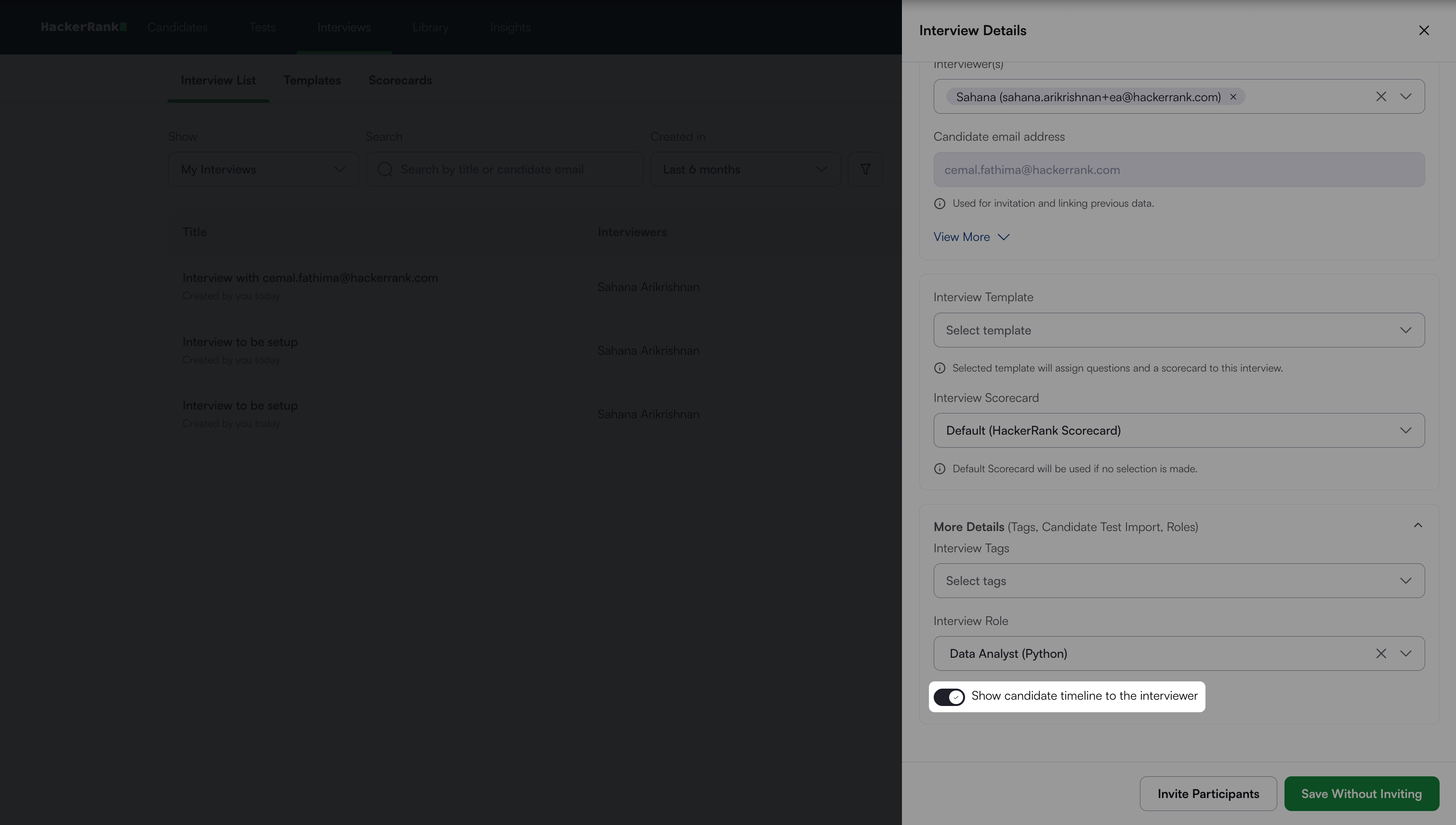
For more information, see 📄 Create an Interview.
Import questions at the start of the Interview
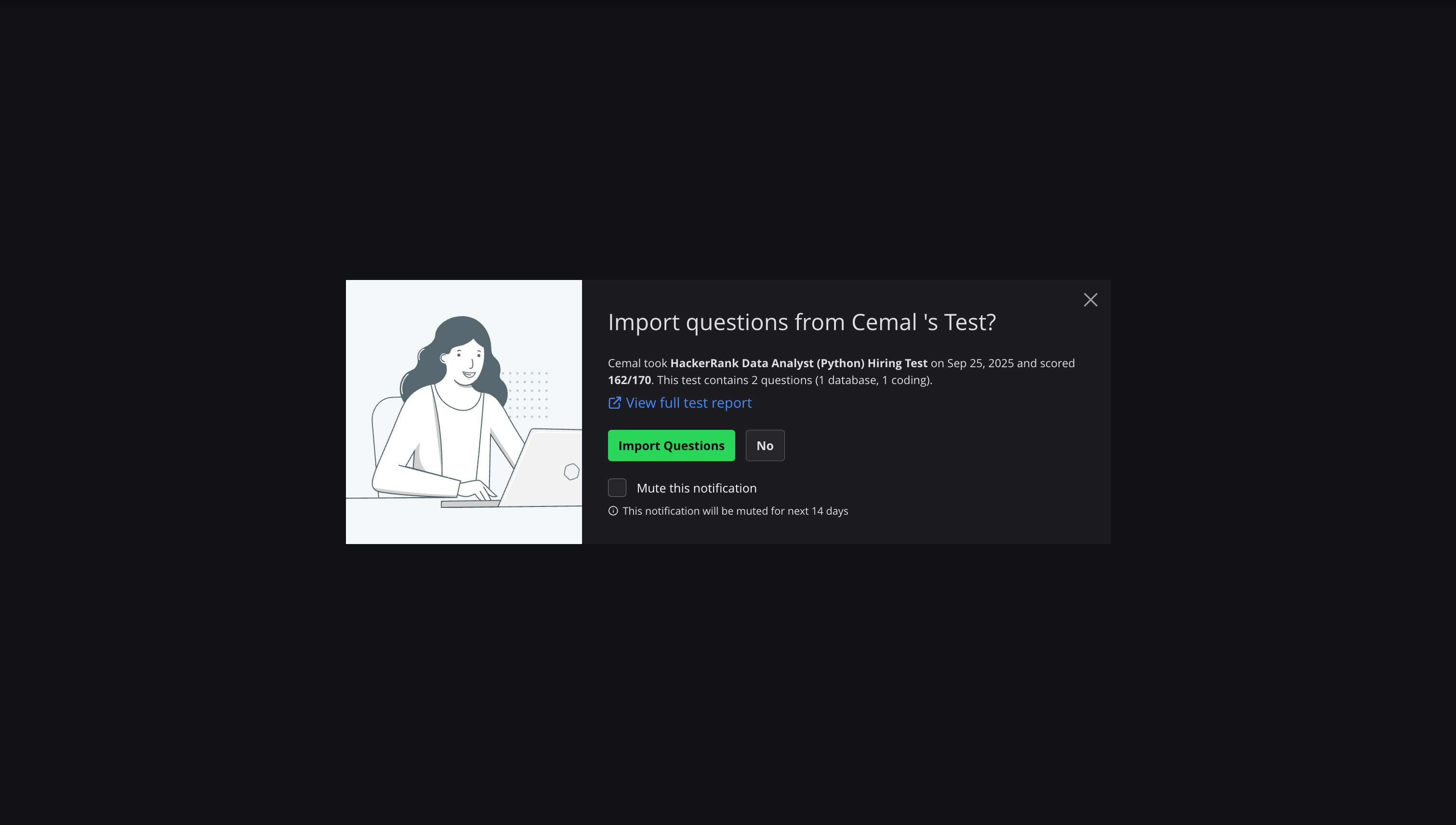
If a candidate has completed a test before the interview, a dialog box appears at the start of the interview session. The dialog box prompts the interviewer to import the test and displays the candidate’s overall score. Interviewers can also view the full test report within the interview interface.
Once the test questions are imported into the interview, the candidate’s score for each question is displayed. Click on Detailed Report to view the candidate's test report inside the interview.
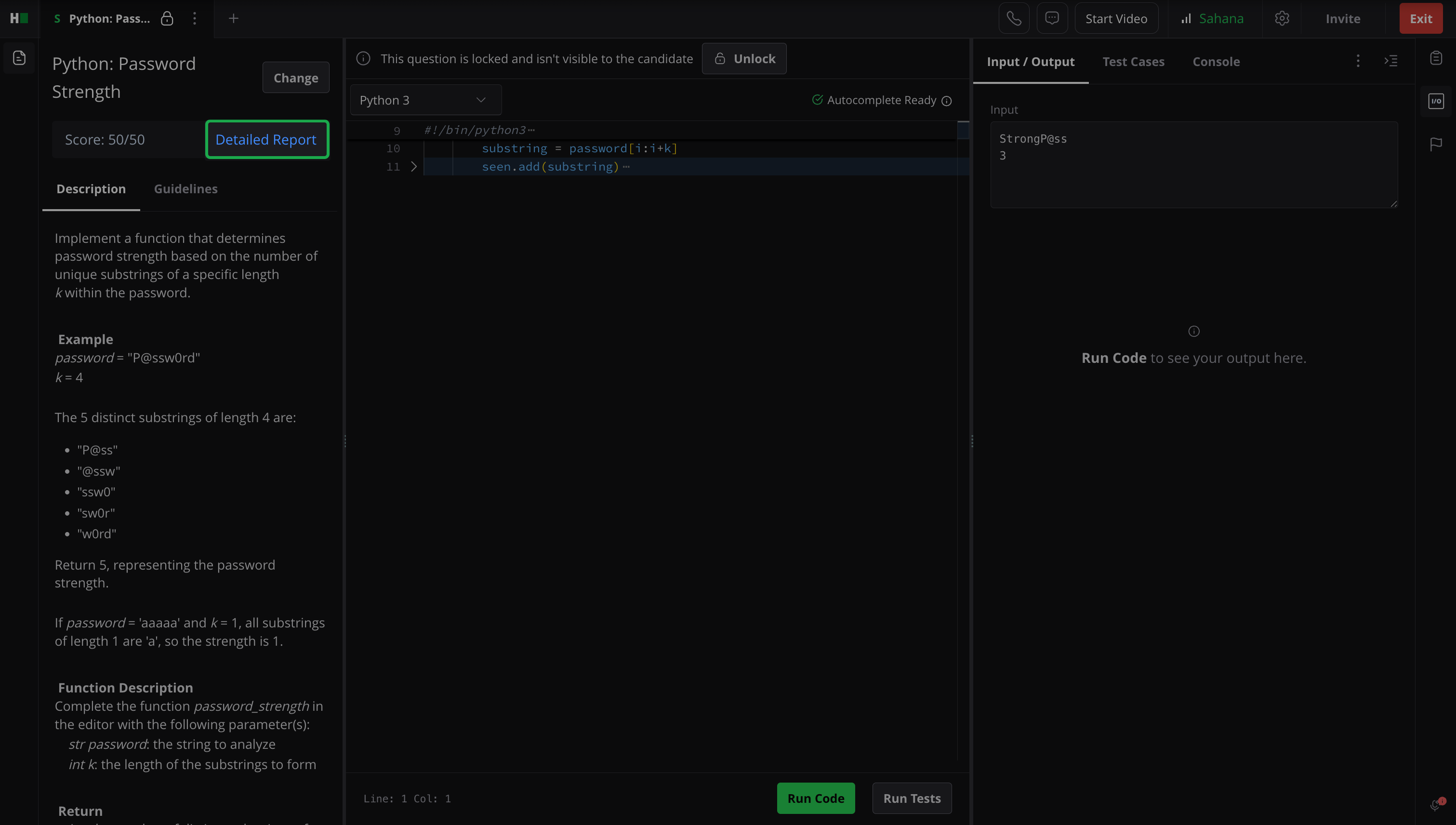
This enables the interviewer to focus on questions the candidate did not perform well on and tailor the interview accordingly.
Import questions during the Interview
You can import questions from the candidate’s test after the interview has started. To import a question:
Click the + icon in the top navigation bar.
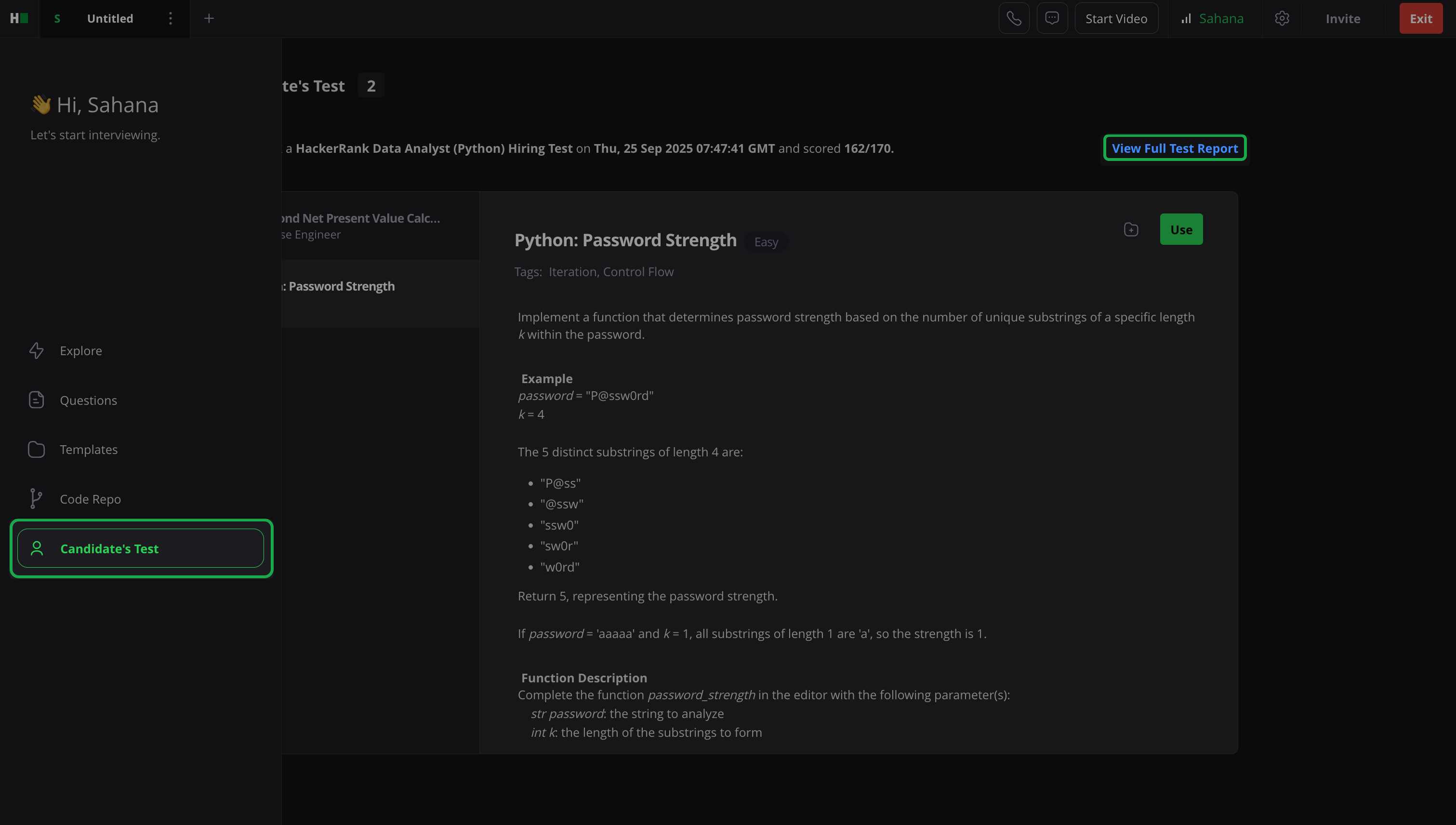
In the left pane, select Candidate’s Test.
Choose the questions you want to add from the candidate’s test.
Click Use.
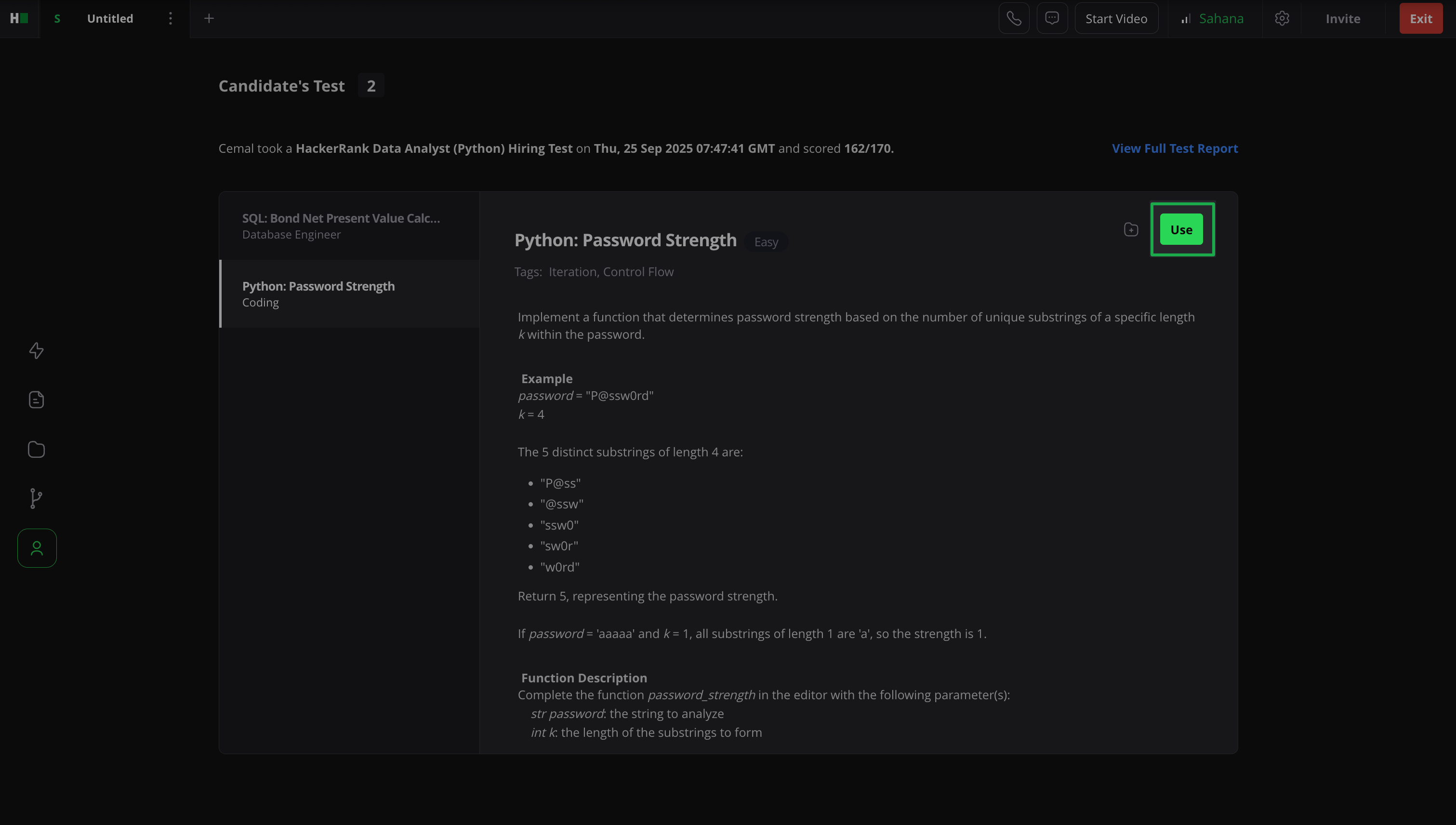
The selected questions open in separate tabs, allowing you to evaluate them in real time with the candidate. Click View Full Test Report to open the candidate’s test report within the interview.