Audio and Video Calls in Interviews Powered by Zoom
Last updated: June 2, 2026
HackerRank Interviews include built-in audio and video calling features that allow interviewers and candidates to communicate seamlessly. By integrating with Zoom, HackerRank ensures a smooth and uninterrupted interview experience.
Prerequisites
Ensure the following domains are not blocked in your organization’s network to enable Zoom-powered calls:
*.zoom.us*.*.zoom.uszoom.us
For more information, see 📄 Safelist/Allowlist URLs and IP Addresses for HackerRank.
Note: This feature is supported on the latest versions of Google Chrome, Microsoft Edge, and Mozilla Firefox. For the best performance, use the most up-to-date version of these browsers.
Key benefits
Zoom integration in HackerRank Interviews offers the following benefits:
No Zoom account or software installation is required.
Calls connect automatically through Zoom when an interview starts.
High-quality audio and video are maintained, even on slow internet connections.
Video can be turned off to preserve audio quality in low-bandwidth scenarios.
Calls automatically reconnect if the network drops and is restored within two minutes.
Screen sharing during interviews
Interviewers and candidates can share their screens during interviews to improve collaboration and communication. Screen sharing allows real-time interaction and visibility when reviewing designs, code, documents, and other relevant materials. This feature works without additional plugins or software installations.
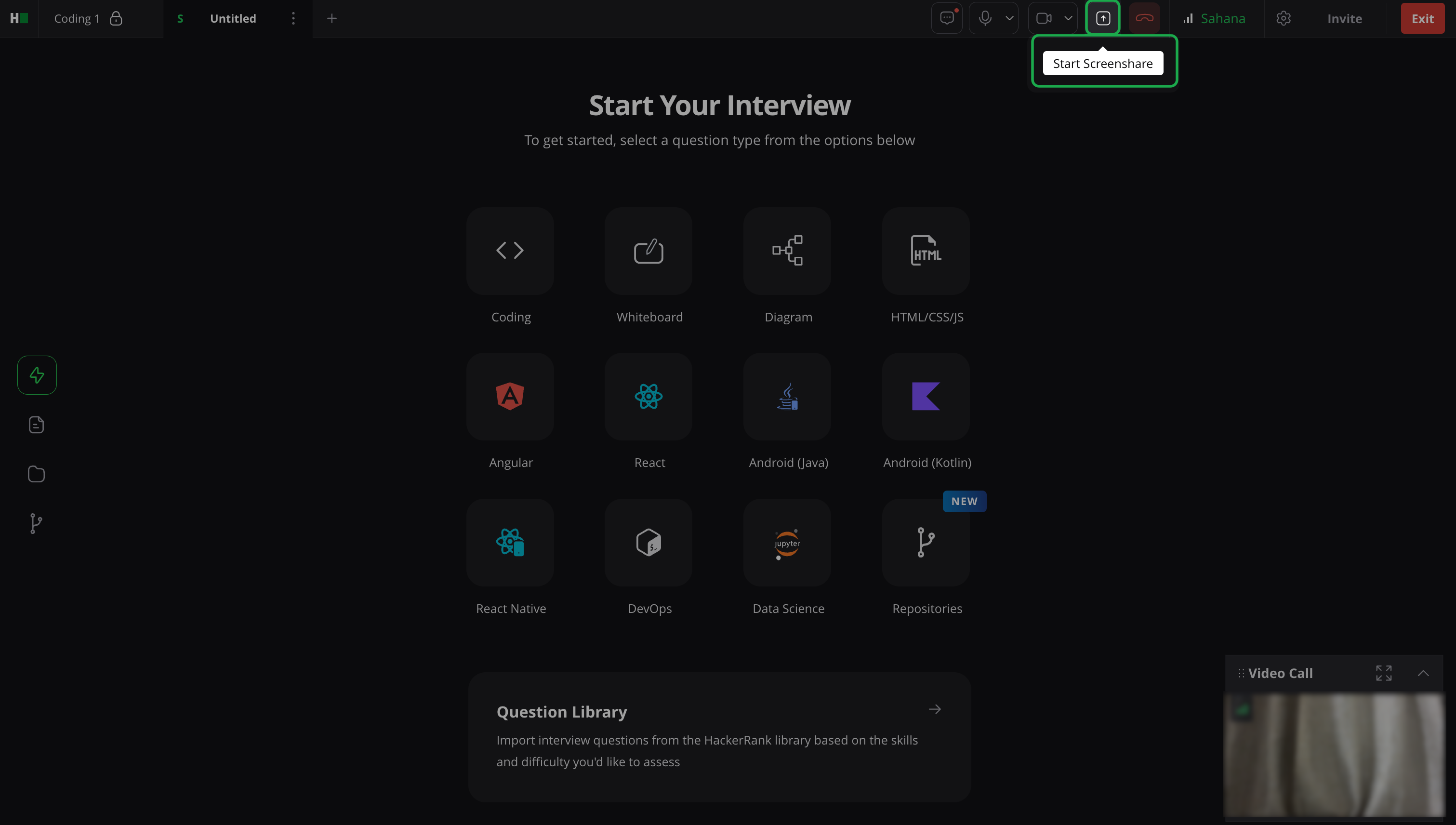
Tip: Ask the candidate to share their entire screen rather than a single application window for better evaluation.
Note: Screen sharing is available only after you start a video call.
Customize the video layout
You can customize the video layout in HackerRank Interviews based on your preference. The following configurations are supported:
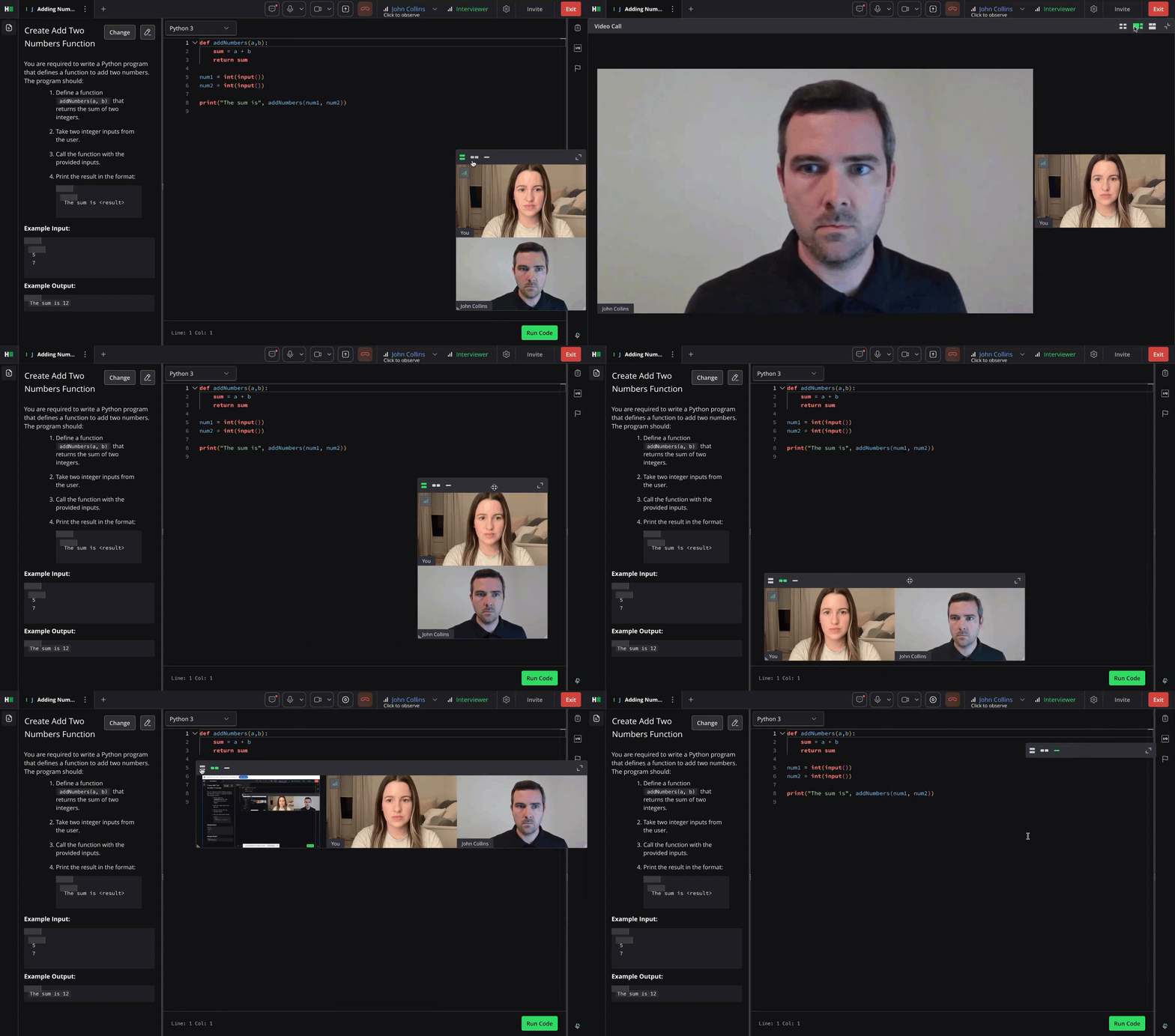
Gallery View: Displays participant videos in a grid.
Speaker View: Highlights the active speaker in a large window.
Side-by-Side Mode (when screen sharing): Shows the shared screen next to Speaker, Gallery, or Multi-speaker view.
Floating Thumbnail (Mini Window): Keeps a small, always-on-top video window when you minimize Zoom.
Pop-out View: Opens the video call in a separate browser tab, useful when using multiple monitors.
Verify system compatibility
To verify system compatibility:
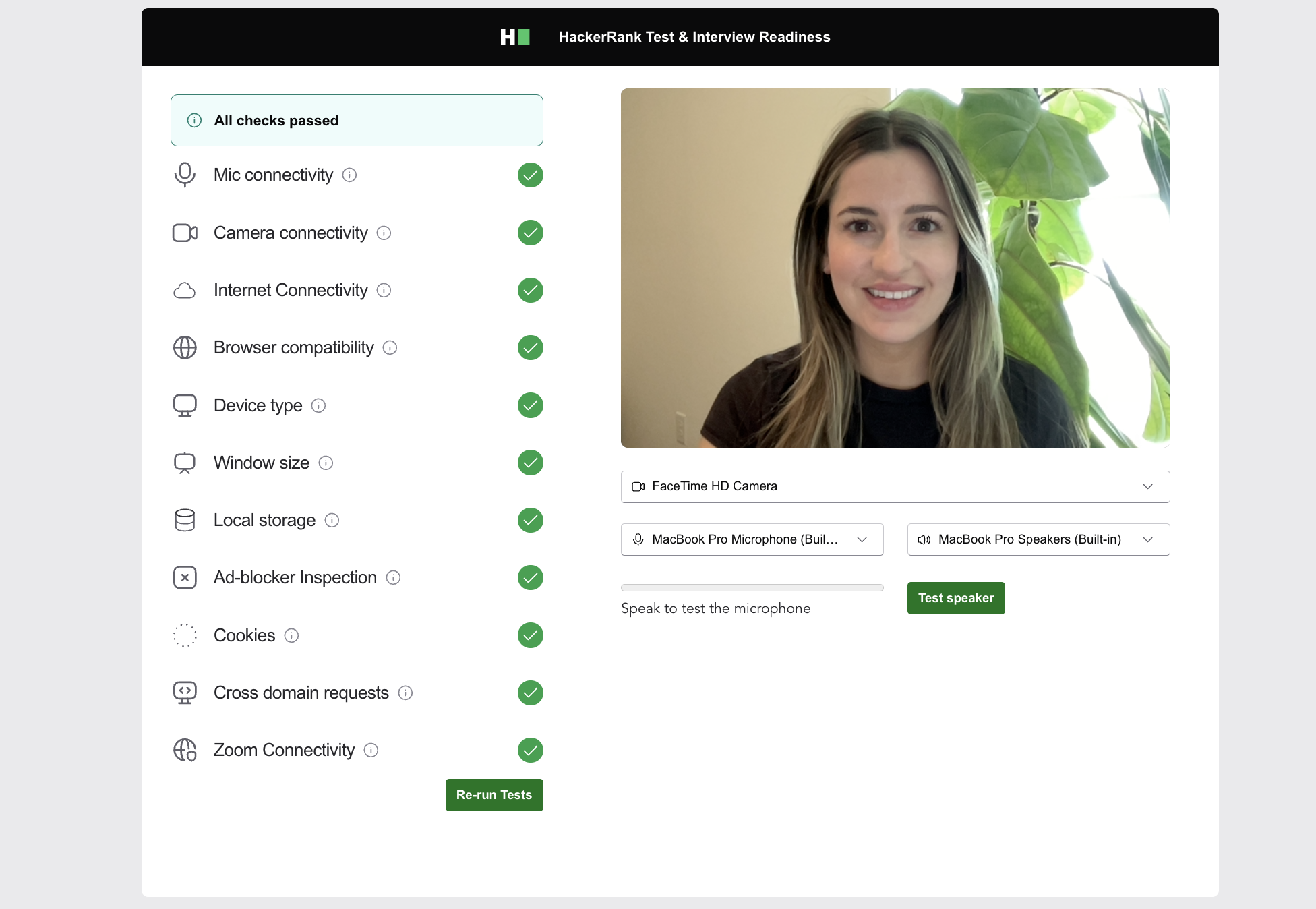
Open the HackerRank Compatibility link.
Review the results to confirm that all parameters are configured correctly.
If you encounter issues accessing the listed domains or encounter compatibility problems, contact support@hackerrank.com and include a screenshot of the error message.