Optimality
Last updated: December 1, 2025
This feature is part of the AI Add-on. For more information, see 📄 Advanced Evaluation.
Optimality Evaluation enables hiring teams to assess whether a candidate’s solution aligns with the expected time and space complexity. It enables you to distinguish between brute-force and optimized approaches.
This feature evaluates the performance and scalability of candidate code, aligning test evaluations closer to real-world engineering expectations.
How it works
When you enable Advanced Evaluation at the company level, Optimality Evaluation automatically applies to supported Coding questions. The system analyzes the candidate’s solution to determine its time and space complexity.
Note: The candidate experience remains unchanged. Candidates take the test as usual.
Set up Optimality Evaluation
To set up Optimality Evaluation:
Enable Advanced Evaluation. For more information, see Enable Advanced Evaluation.
Use a Coding question. Optimality Evaluation supports only the Coding question type.
For custom questions, add the following in the Interview Guidelines section:
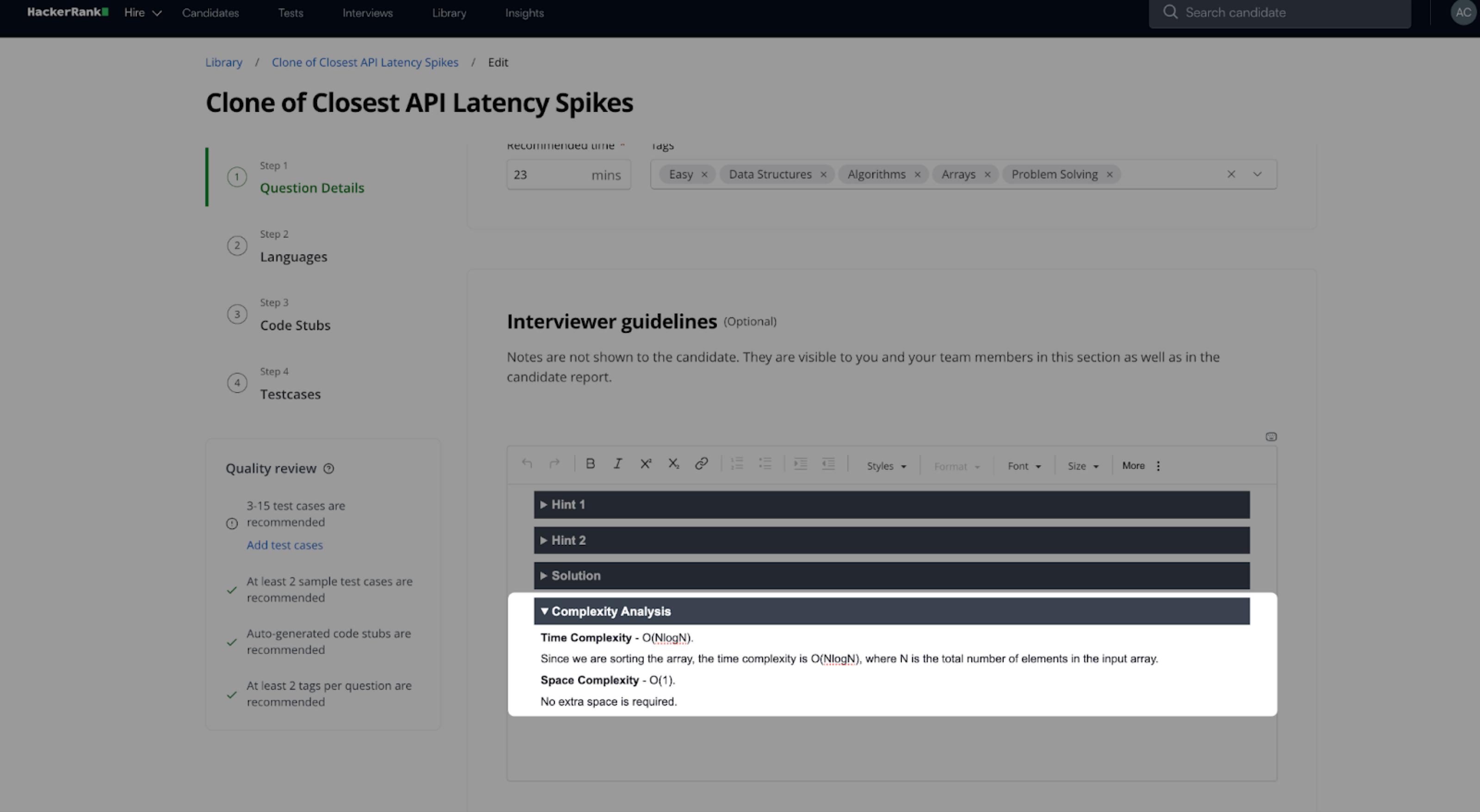
Time complexity: insert expected complexity
Space complexity: insert expected complexity
Note: HackerRank Library questions already include this configuration by default.
Once configured, Optimality Evaluation automatically applies to the question when used in a test with Advanced Evaluation enabled.
View Optimality insights in reports
Optimality insights appear in candidate test reports.
To view Optimality insights:
Log in to your HackerRank for Work account using your credentials.
Go to the Tests tab.
Open the test you want to review.
Go to the Candidates tab.
Click a candidate's name to open the Summary Report.
The Summary Report shows an Optimality column for each Coding question.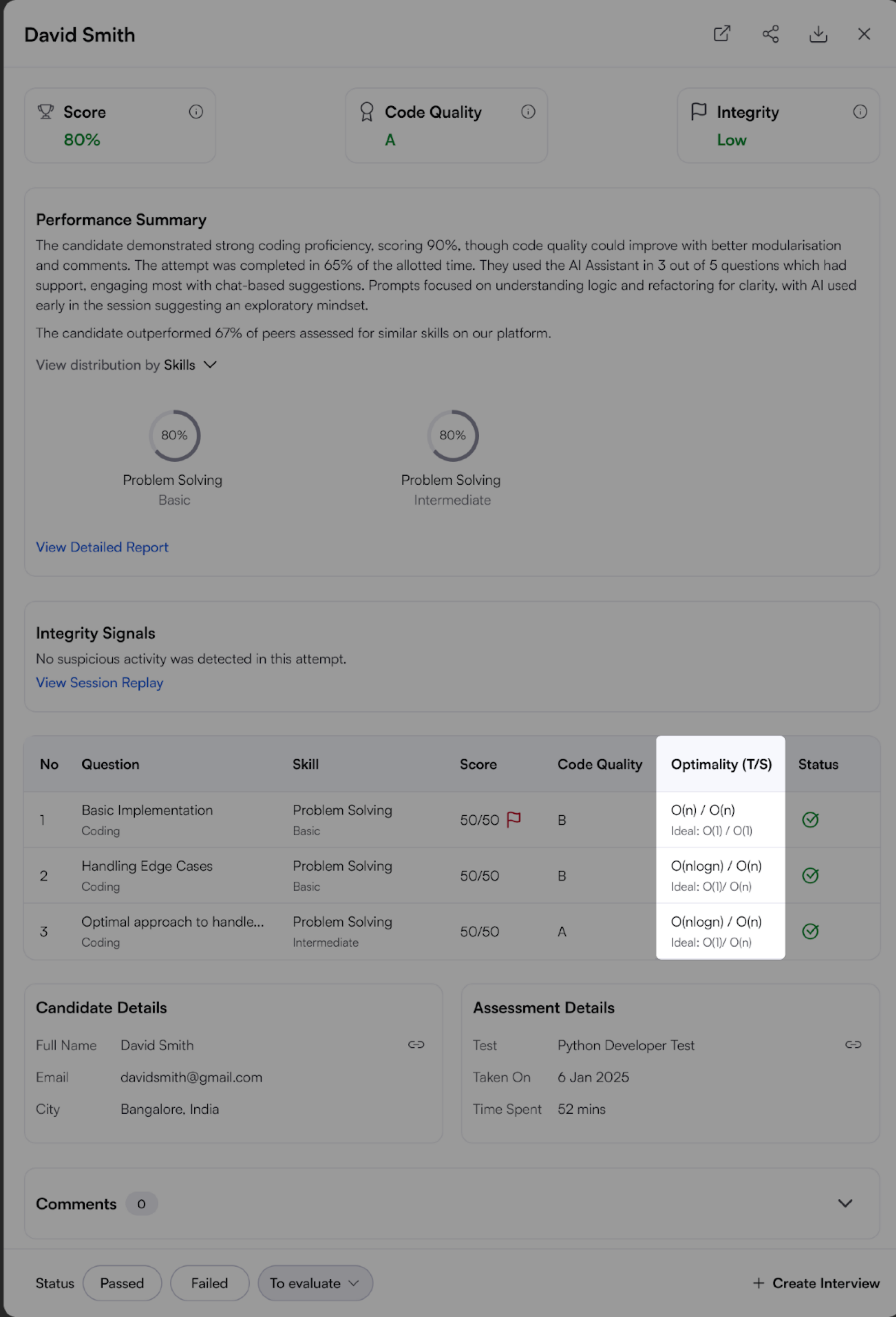
Scroll to the relevant Coding question and then click it to open the Detailed Report.
The Detailed Report includes an Optimality section for each coding question under the Candidate Evaluation tab, with an explanation of the time and space complexities.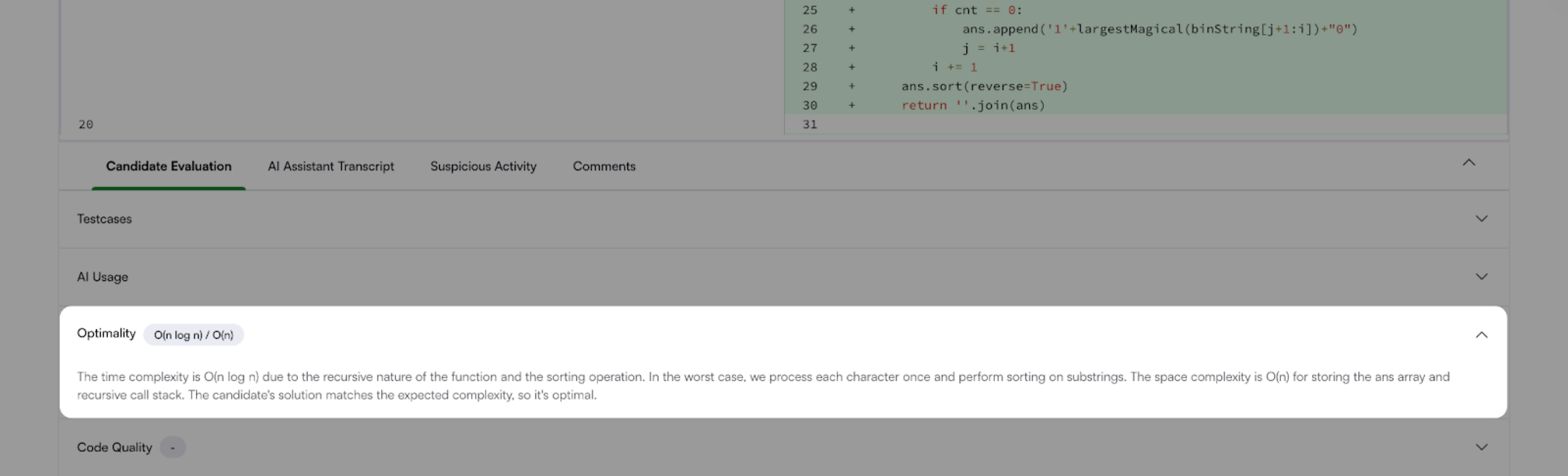
Frequently Asked Questions (FAQs)
Which question types support Optimality Evaluation?
Optimality Evaluation currently supports only Coding questions.
Why doesn’t the report show ideal optimality for some Coding questions?
The system shows ideal Optimality only when the question includes clearly defined ideal time and space complexities. If the question lacks this information, the report does not display Ideal Optimality.
How do I enable Optimality Evaluation for my own questions after it is enabled in company settings?
Add the time and space complexity to the Interview Guidelines section of your custom or existing Coding question. The system uses these values to run Optimality Evaluation.
How does HackerRank determine the optimality?
The system derives optimality from the values defined in the Interview Guidelines. If the complexities are not defined, the system cannot evaluate candidate submissions against a benchmark.
How does HackerRank validate the correctness of the Optimality scoring?
HackerRank validates Optimality Evaluation using a predefined dataset that includes a wide range of complexity levels. For more information on validation or evaluation methodology, contact support@hackerrank.com.